
Use the Reverse Repertory
List every rubric that contains a remedy, read its grade in each one, and narrow the list by chapter, degree, or a second remedy.
A repertory normally takes you from a symptom to its remedies. The reverse repertory goes the other way: choose a remedy and Similia lists every rubric that contains it, with the remedy's grade in each. Use it to study a remedy's picture in a repertory, to prepare a differential, or to check where a remedy is strong.
Before you start
The reverse repertory works in any repertory you can open. The eight included classical repertories are available on every plan; premium repertories require their matching entitlement.
List a remedy's rubrics
- Open Repertory and choose the repertory you want to study.
- Select the Remedy pill beside the search box.
- Type the remedy's name or abbreviation and select it from the list.
- Leave the search box empty and select Search.
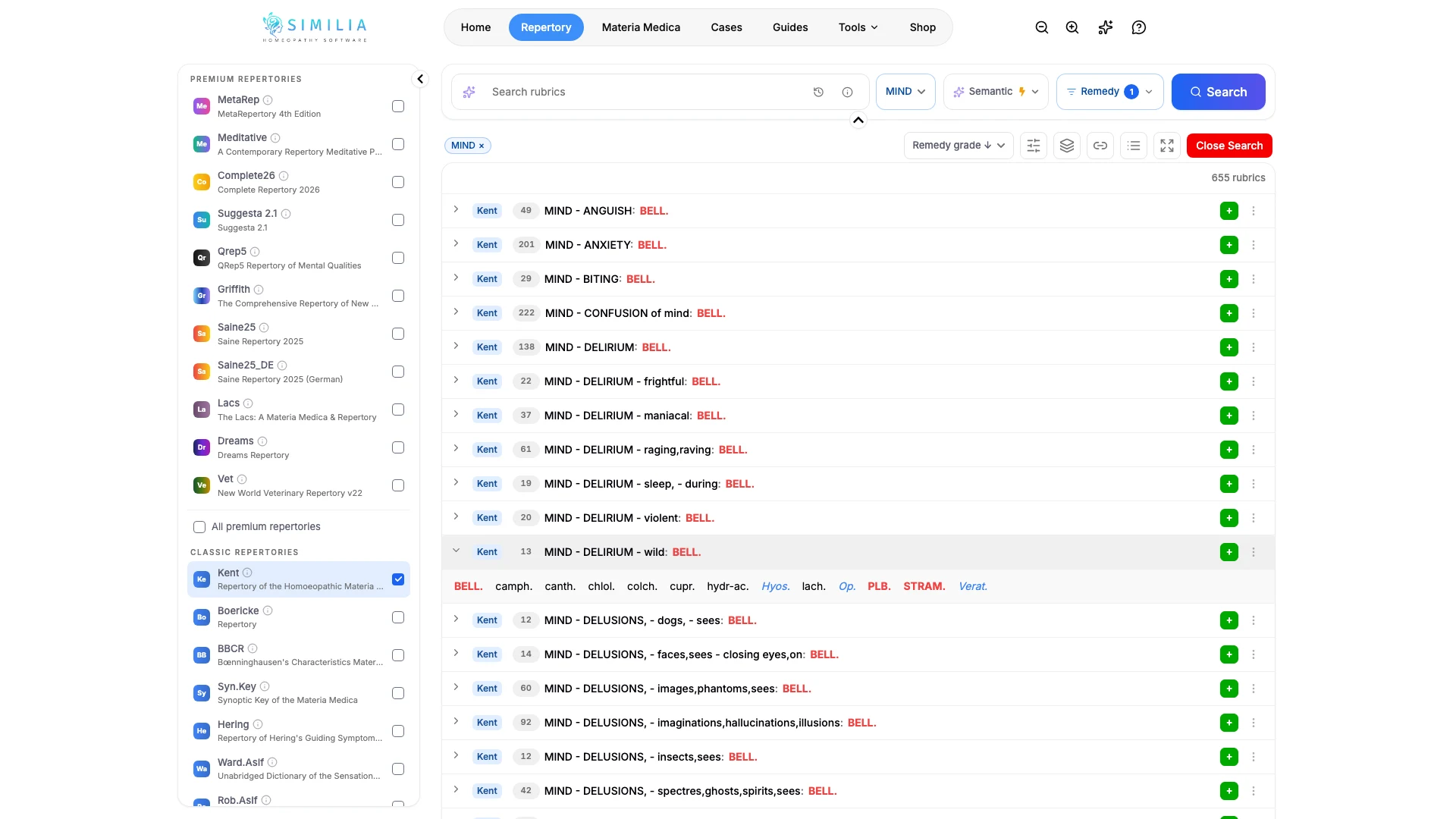
- Read the list: each rubric prints the remedy after its name, in the style of its grade.
- Use the sections menu beside the search box to keep one chapter, such as MIND.
- Select a rubric to open it and see the other remedies it contains.
- Select Close Search, then remove the remedy from the Remedy pill when you have finished.
What you should see
The result count shows how many rubrics contain the remedy. The list opens ordered by Remedy grade, strongest first, and the Remedy pill shows how many remedies are selected. The grade styles follow the colours you chose in Settings.
Narrow the list
- By degree: in the Remedy pill, clear the Degrees you do not want and search again. Keeping only the highest degrees leaves the rubrics where the remedy is most strongly represented.
- By a second remedy: add another remedy in the Remedy pill. All remedies lists the rubrics that contain every selected remedy, which shows what two remedies share; Any remedy lists the rubrics that contain at least one.
- By words: type a word in the search box and search again to keep the remedy filter and look inside it, such as every fear rubric that contains the remedy.
- By order: the sort control also offers Relevance and Remedies, which orders the rubrics by how many remedies they hold. A small rubric that contains your remedy is often the more characteristic one.
After Close Search, the chapter browser keeps the remedy filter: opening a chapter shows only the rubrics that contain the remedy, in the repertory's own order.
If something looks wrong
- If nothing happens when you search with an empty box, check that the Remedy pill shows a selected remedy.
- If the list is shorter than you expect, look for a chapter still selected in the sections menu or a degree cleared in the Remedy pill.
- If two remedies return no rubrics, switch from All remedies to Any remedy.
- If ordinary searches later look incomplete, a remedy is probably still selected: remove it from the Remedy pill.