
Manage Your Plan, Add-ons, and AI Credits
Check current access, purchase an appropriate plan or add-on, manage billing, and understand the AI credit balance.
Plans unlock feature families, while some repertories and books are separate editions or add-ons. Check the exact entitlement named by a locked feature.
Before you start
Free includes eight classical repertories, 21 classic Materia Medica books, semantic repertory search, and three new cases plus three new analyses per month. Pro adds the AI toolkit, unlimited cases and analyses, and other Pro features. Premium sources depend on their edition or add-on.
Review and manage access
- Open Shop.
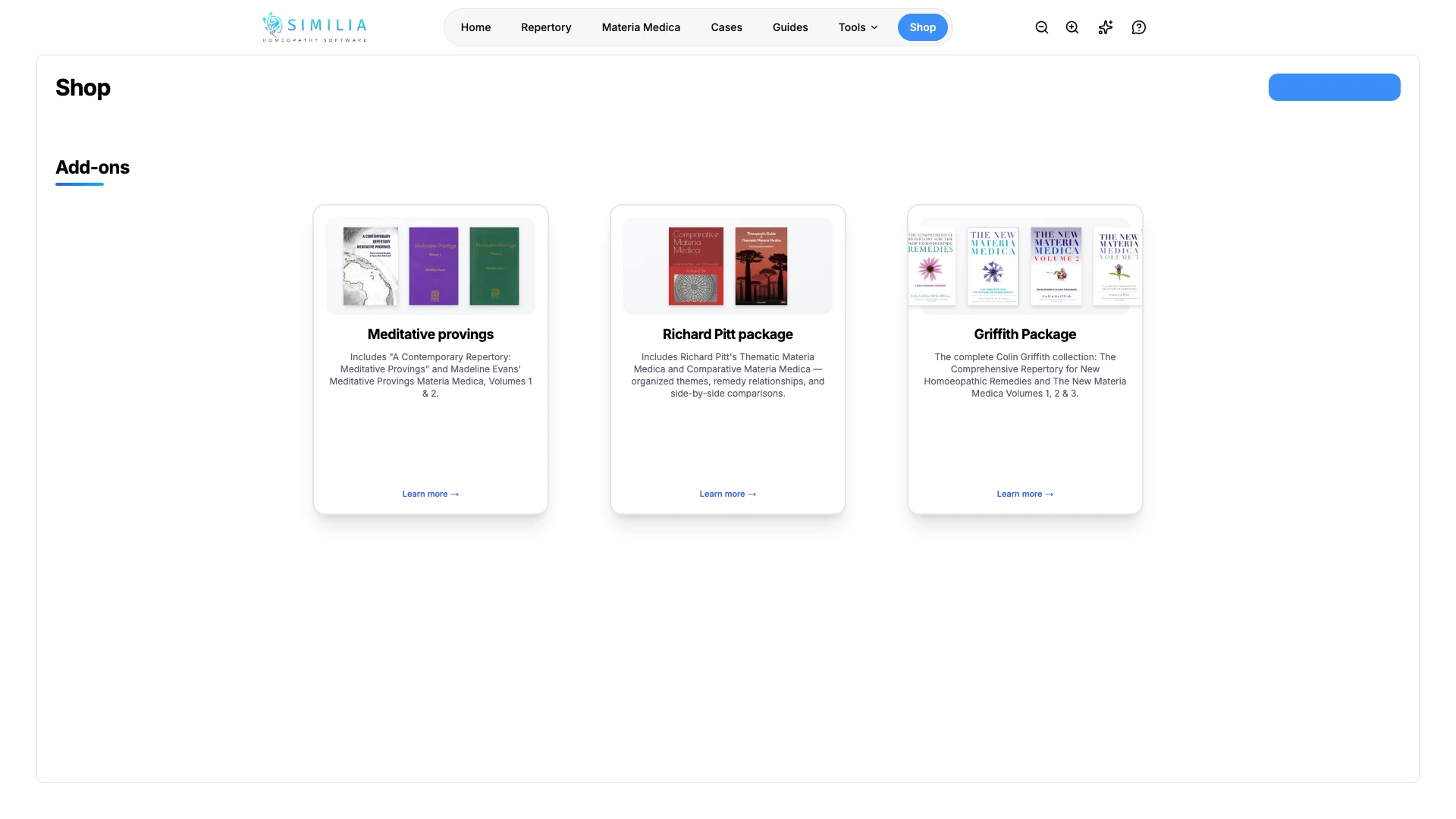
- Compare the available plans, editions, add-ons, and AI credit packs.
- Match the exact locked source or feature to its product description — a book sold both on its own and inside a collection has a card for each, so compare the two before buying.
- Complete a purchase only through Similia's Stripe checkout.
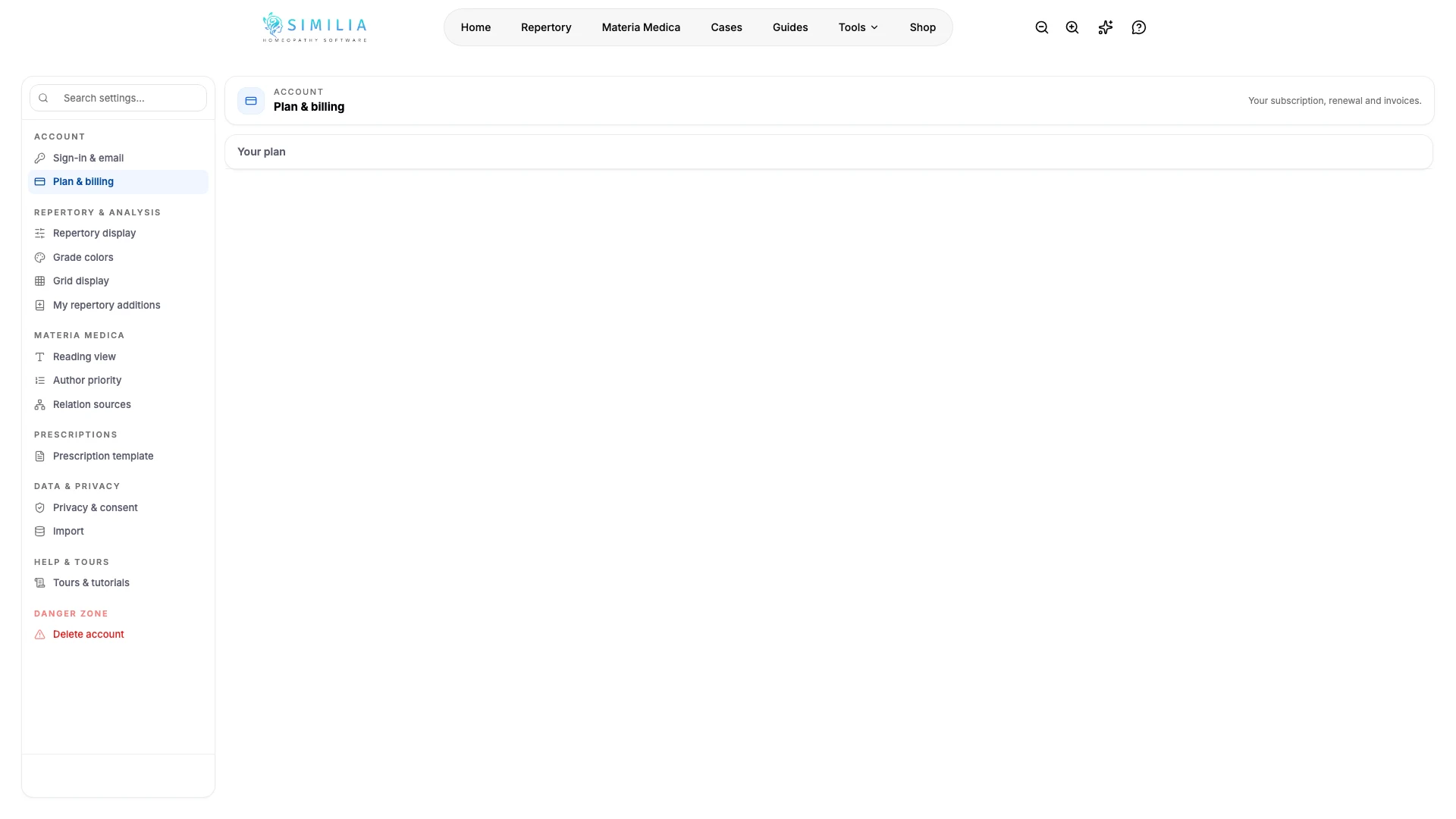
- Open Plan & billing in Settings.
- Use the billing portal to manage payment methods, invoices, or subscriptions.
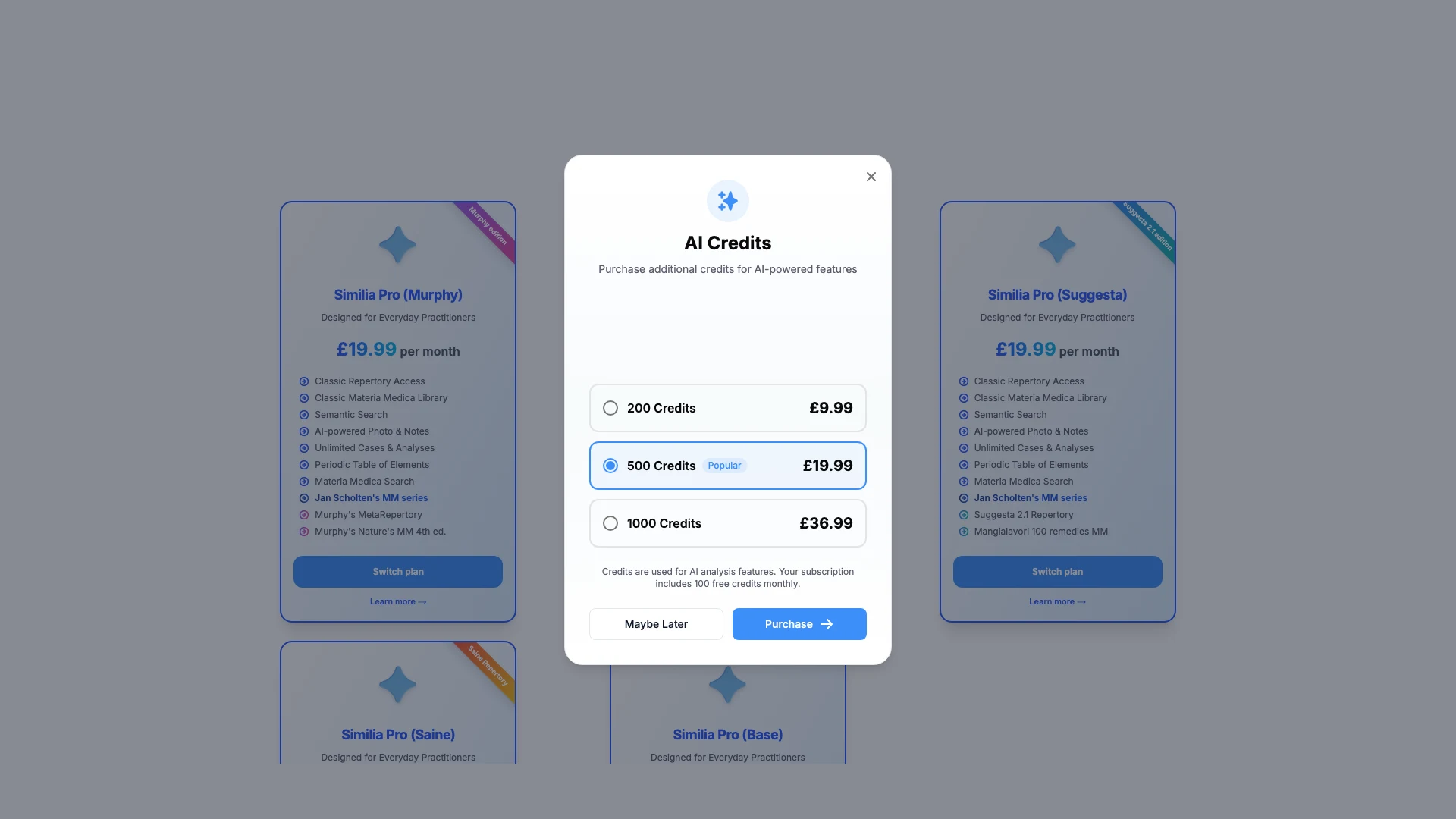
- Open the AI credit control to see the current balance and usage history.
- Review the credit estimate before running an AI task.
Change the billing period or edition
In Shop, the billing periods (Monthly, Annual and, where sold, 3 years) sit above the plans, and Current marks the one in use. Choose another period to see the plans at its price, then choose Switch to annual, Switch to monthly or Switch to 3 years. Before anything changes, the dialog shows the new price, the credit for unused time on the current period, and the amount due today. Settings → Plan & billing links to the same place.
The plan and its add-ons switch together, and the new period starts the same day. Moving to a shorter period never refunds the card: the unused time becomes account credit, and the next invoices are paid from it automatically. If the subscription is then cancelled, it keeps running for the renewals the credit pays. During a free trial, the trial continues and the new price is charged when it ends.
Moving to a shorter period keeps every discount. Moving from monthly to annual keeps percentage discounts that last for the whole subscription and ends those with an end date. Moving to 3 years ends every discount.
To have two premium repertories, keep the edition and choose Add to plan on the other edition in Shop: its repertory joins the subscription as an add-on at the add-on price, so Pro is not billed twice, and the dialog shows that price before anything is added. To change edition instead, choose Switch plan instead on another premium edition, or Switch plan on Similia Pro (Base) and on every edition when another billing period is chosen; to change edition and billing period in one step, choose the period first. The switch dialog shows the price and the amount due today before anything changes. When the billing period stays the same, only the difference for the rest of the current period is charged or credited, and the renewal date doesn't move. An add-on the new edition already includes ends with the switch, and its unused time is credited. The Murphy, Complete, Saine and Mangialavori add-ons need a premium edition, so remove them in Settings → Plan & billing before moving to Similia Pro (Base).
The 3-year plan costs 30 months of the monthly price and renews every three years. Coupons and promotion codes don't apply to it. The Meditative package isn't available on it, so remove it from the plan before switching. The 3-year plan isn't offered with Turkey's regional pricing. A subscription set to end must be resumed in Manage subscription before switching. Support changes the billing period for subscriptions billed in India and for those with a fixed-amount discount or a discount on the whole account; for these, Shop shows only the current billing period, and Switch plan on another edition opens the billing portal, or support when the plan has add-ons.
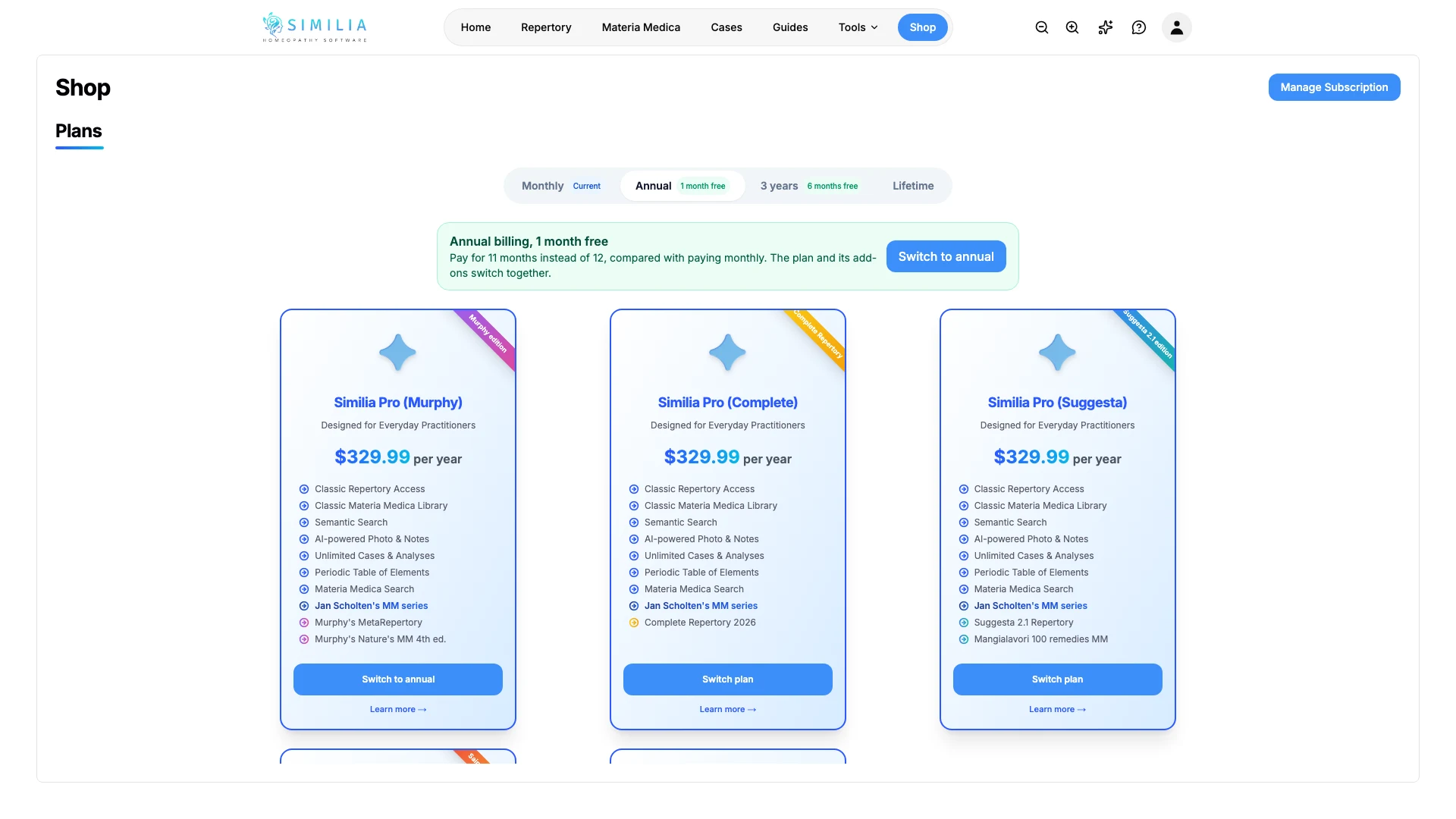
Buy Lifetime Pro
Lifetime Pro is Pro Base paid once instead of by subscription, for as long as Similia provides the service. It includes 1,000 AI credits and no monthly allowance, so buy a credit pack when more are needed.
In Shop, or on Pricing on the website, choose the Lifetime tab next to the billing periods, then choose how to pay:
- Pay once: one payment.
- 12 monthly payments: Lifetime Pro starts with the first payment and is yours for good after the 12th. If you stop paying, access ends at the end of the month already paid for, and nothing more is owed.
Choose Get Lifetime Pro, or Switch to Lifetime Pro if you subscribe. Before anything is charged, the dialog shows the price, any credit for unused subscription time, the amount due today and what ends at purchase. Read the licence terms, tick the box to accept them, and continue to Stripe.
Buying Lifetime Pro cancels a running subscription or trial. The unused time already paid for is credited: off the price when paying once, or against the next payments on the plan.
Holders can then add premium works as one-time Lifetime Pro add-ons in Shop, including during the payment plan: Murphy MetaRepertory, Nature's Materia Medica, Complete Repertory, Saine Repertory, Suggesta 2.1 and Mangialavori 100. They last as long as the licence and end with it. The Meditative package isn't available with Lifetime Pro yet. Other one-time books in Shop, such as Richard Pitt's, can be bought as usual.
Settings → Plan & billing shows the licence, the payment plan's progress and its next payment. It also links to receipts and invoices, and to the licence terms. A full refund can be requested within 14 days of buying. Lifetime Pro is personal to one practitioner and can't be shared or transferred. It isn't offered in India or Turkey yet.
Buy Richard Pitt's books
Richard Pitt's Comparative Materia Medica and Thematic Materia Medica are sold once, without a subscription: each book on its own, or both together for less. In Shop, choose a book or the bundle and complete the purchase through Stripe. A book bought once stays in the account, with or without Pro. When one book is already bought, buy the other on its own.
The Richard Pitt add-on to Pro subscriptions has been retired. Where it was on a subscription, it no longer renews, and both books stay available until the end of the period already paid for; Shop and Settings → Plan & billing show the date. To keep reading them after that date, buy the books once.
Remove an unpaid trial translation
In Settings → Plan & billing, find Trial translation add-ons. Choose Remove beside an unpaid Complete Repertory translation, then confirm. Its pending one-time charge is canceled and trial access to that translation ends immediately. Your Pro subscription and other add-ons continue; a translation purchased separately remains available.
Remove translations before the final five minutes of the trial. Once billing begins, or if the charge is already on an invoice, contact support. If removal fails, retry to finish the change.
What you should see
The account summary distinguishes the base plan, active add-ons, and AI credits instead of treating them as one entitlement.
If something looks wrong
- If paid access has not appeared, refresh after checkout and confirm the same signed-in account was used.
- If a source remains locked, compare its required add-on with the active-add-on list. A single-book purchase unlocks only that book; the collection it belongs to unlocks all of them.
- If an AI task is blocked, check both Pro access and the separate credit balance.
- If Lifetime Pro doesn't appear after checkout, keep the confirmation window open for a moment: Stripe confirms the payment, and access arrives on its own. If it still hasn't appeared, contact support.
- If a Lifetime Pro add-on can't be bought, check that Lifetime Pro is active in Settings → Plan & billing: add-ons are sold to Lifetime Pro holders only.