
Browse a Repertory by Chapter
Move through chapters and nested rubrics when you prefer exploring the repertory tree instead of searching.
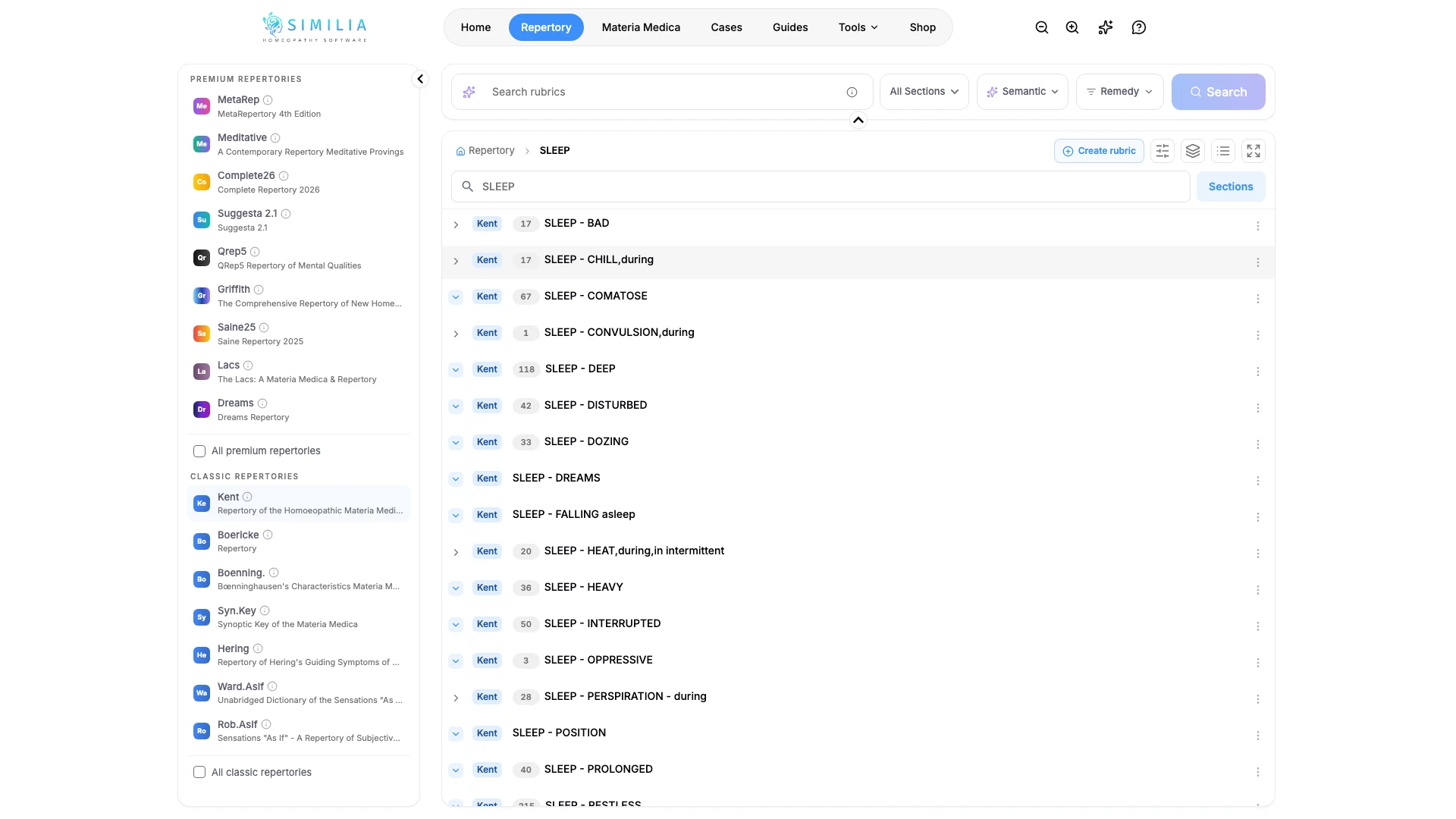
Browsing shows the repertory in its original hierarchy. It is useful when the chapter is clear or you want to understand nearby rubric choices.
Before you start
Choose an available repertory. Free users can browse the eight included classical repertories; premium sources require their matching entitlement.
Browse the hierarchy
- Open Repertory.
- Switch to the browse or explorer view.
- Select a chapter, such as Mind, Head, or Generalities.
- Expand the next branch with its disclosure control or name.
- Read the complete path as you move through each level.
- Inspect a final rubric's remedies and details.
- Click the green + on a rubric to start a repertorization with it.
- Collapse branches you no longer need.
What you should see
The selected path stays visible while deeper child rubrics appear beneath it. Rubrics that have remedies carry a green + on their trailing edge. Personal rubrics you created yourself do not — add those from inside a case analysis, which keeps their revision history attached.
Start a repertorization from a rubric
Use + when a rubric is the one you want to work from. Similia creates a case in your Quick cases folder, puts the rubric on clipboard A, and opens the analysis, where you can keep adding rubrics from the panel beside it.
To add to a case you already have, open that case's analysis first and browse from there instead — the + then adds to the clipboard you are working in.
If something looks wrong
- If a branch does not open, it may be a final rubric with no children.
- If the tree is crowded, collapse the top-level chapters you are not using.
- If a source is locked, choose an included repertory or review its add-on.
- If + opens an upgrade dialog, you have used this month's free cases or analyses. The Free plan includes three new cases and three analyses each month.