
Use the Jeremy Sherr Provings
Preview Taxus baccata, unlock the 35-proving bundle, and find attributed symptoms with keyword or semantic search.
The Jeremy Sherr Provings bring 35 English-language provings by Jeremy Sherr and the Dynamis School into the Materia Medica library. Symptoms preserve their prover, potency, and timing, and the complete editions include the original figures.
Before you start
Sign in to Similia. Taxus baccata is a free sample through its Mind chapter. The complete bundle is a separate one-time purchase, available with a Free or Pro account. Ownership includes keyword and AI semantic search of this source. Pro is required to use it through AI case analysis or the AI assistant, where the usual AI credit charges also apply.
Explore and search the provings
- Open Shop and find Sherr Provings. Review the bundle description and the price shown in the current currency.
- Follow the free-sample link to Taxus baccata. The sample banner identifies the chapters reserved for the complete edition; figures remain part of the paid bundle.
- To unlock all 35 provings, use the purchase option and complete Similia's Stripe checkout. After returning, wait for access to be confirmed. The bundle is purchased as a whole.
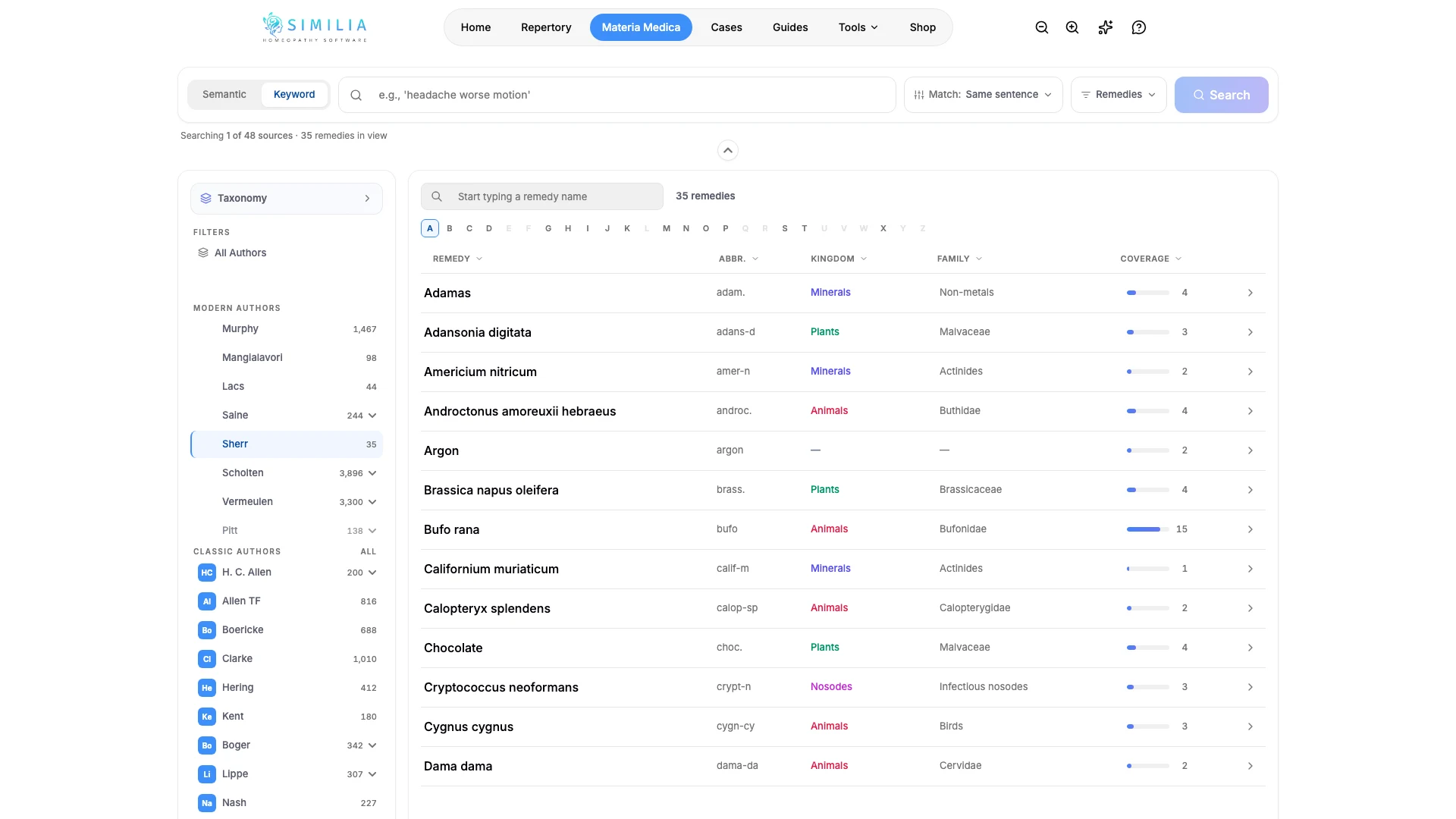
- Open Materia Medica and select the Sherr source filter. The library shows 35 remedies in view.
- Search for a word or phrase, or switch to semantic search and describe the symptom in plain language. Check that the result identifies Sherr Provings as its source.
- Open a result to read the proving. Semantic results open with matching passages highlighted. Use the section navigation to move through the document and read each symptom's attribution in context.
What you should see
The source filter narrows the library to the Sherr bundle. Owners can read complete provings, including the figures; the free sample ends after Mind. A successful checkout unlocks this source without changing the base plan.
If something looks wrong
- If access remains locked after payment, confirm that the purchase used the same Similia account and contact support if it does not appear.
- If search results come from other authors, check the active source filters and select Sherr alone.
- If the sample stops after Mind, this is the intended preview boundary. The remaining chapters and figures require the bundle.
- To change where Sherr appears among preferred sources, open Settings → Author priority.