
Materia MedicaAvailabilityFree
Browse the Classic Materia Medica
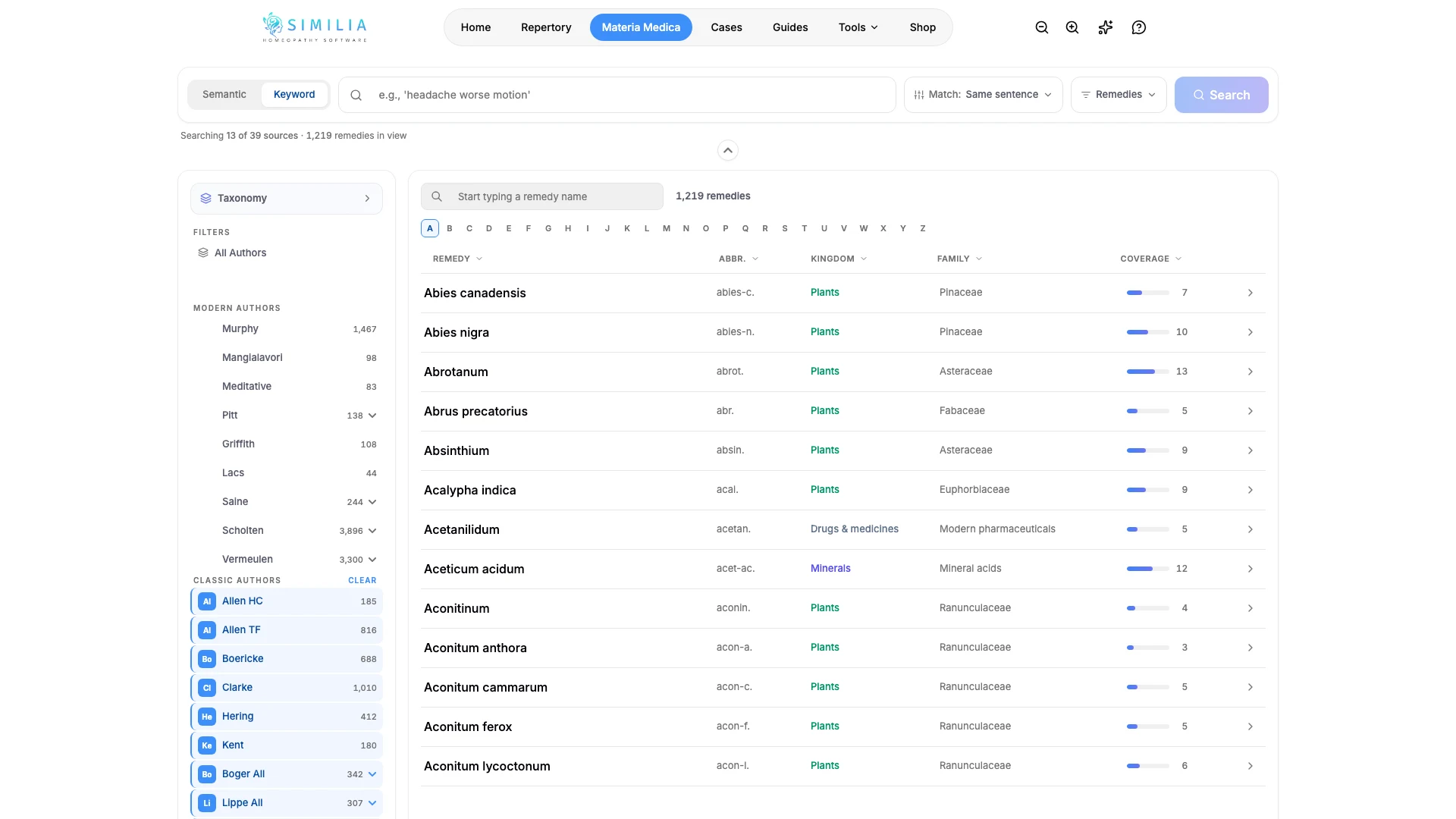
Choose one of the 21 included classic books, find a remedy, and move through its profile.
The library lets you read the same remedy through different authors without leaving Similia.
Before you start
Free includes 21 classic Materia Medica books. Pro keeps those books and adds Pro titles; other premium works require their specific entitlement.
Browse a classic book
- Open Materia Medica.
- Switch to the library or browse view.
- Select one of the available classic authors or books.
- Find a remedy by name or in the remedy list.
- Open the remedy profile.
- Use its section navigation to move through the text.
- Return to the library when you want another author or remedy.
What you should see
The selected book and remedy are named clearly above the readable source text.
If something looks wrong
- If a book is locked, choose an included classic or review the named entitlement.
- If a remedy is missing, try its standard abbreviation and full name.
- If the text is difficult to read, adjust the reading preferences in Settings.