
Materia MedicaAvailabilityVaries
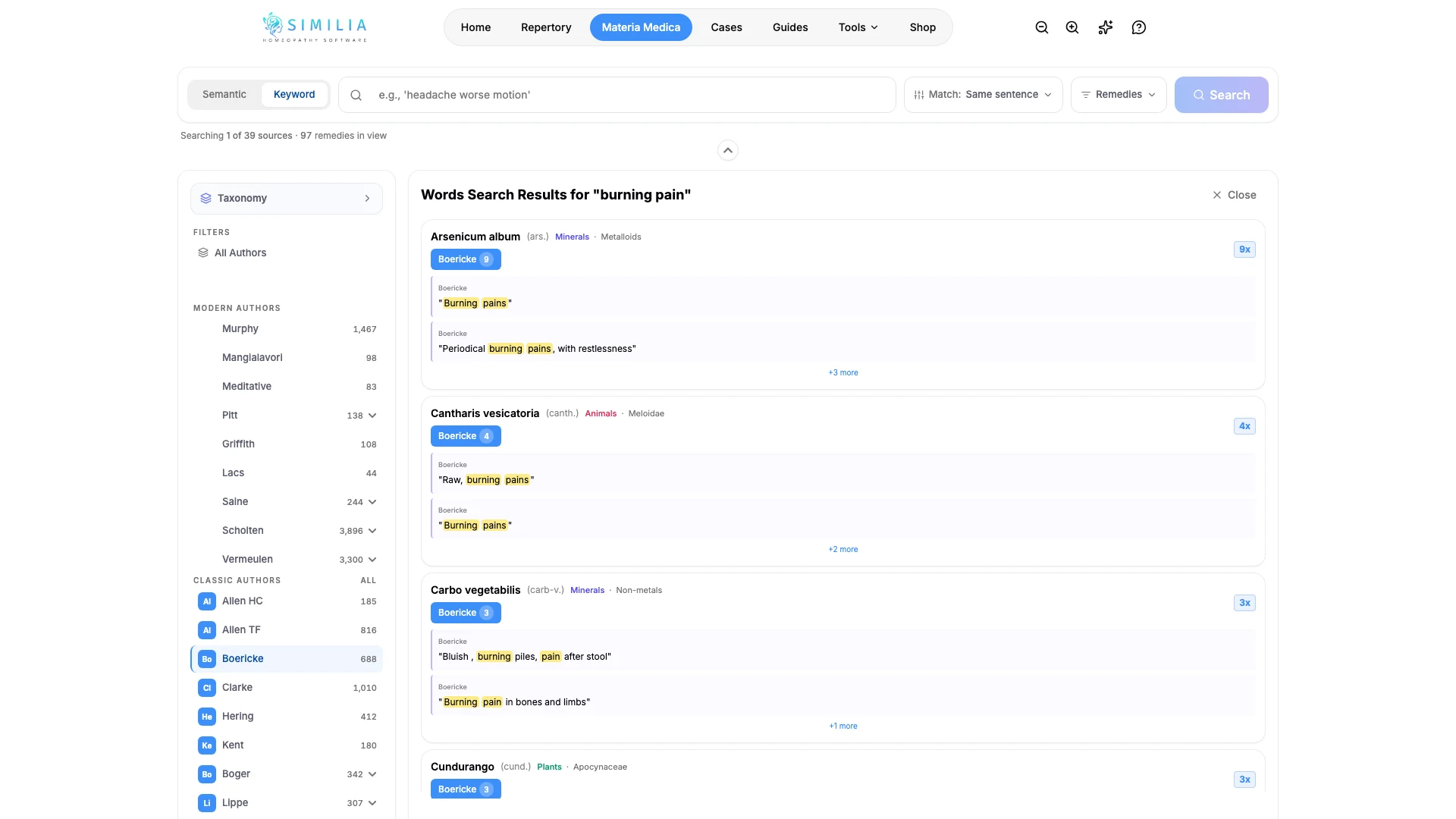
Search and Filter the Materia Medica
Find remedies or passages and reduce results by source without accidentally hiding useful matches.
Use search when you know a remedy, phrase, or theme but not the exact book location.
Before you start
Browsing and finding remedies in the 21 classic books are available on Free. Cross-source and advanced Materia Medica search or filters can require Pro, and premium books always require their entitlement.
Search the library
- Open the appropriate search view in Materia Medica.
- Enter a remedy name or one distinctive phrase.
- Wait for the initial result list before adding filters.
- Choose the sources or result types you actually need.
- Open a match.
- Read the text around the highlighted words.
- Return to the result list to compare another author.
- Clear every filter before beginning a different topic.
What you should see
Each result identifies its remedy and source. Active filters reduce the list without changing the source text.
If something looks wrong
- If there are no matches, clear filters and shorten the phrase.
- If a search mode opens an upgrade prompt, use the available browse/find workflow or review Pro access.
- If a known title is locked, confirm the exact book entitlement rather than only the plan name.