
ToolsAvailabilityFree
Contribute to a Proving
Open a proving you were invited to and submit typed, spoken, or uploaded observations with informed AI consent.
An invited participant can contribute observations even on Free; the coordinator remains responsible for managing the proving.
Before you start
You need a verified Similia account and an invitation from a Pro coordinator. The coordinator sponsors supported AI entry processing, but you must still give your own consent before any typed, audio, note, or drawing content is sent for AI processing.
Submit an observation
- Go to Provings Lab in Tools.
- Choose the proving listed under your joined work.
- Read its protocol, dates, identity-visibility setting, and status.
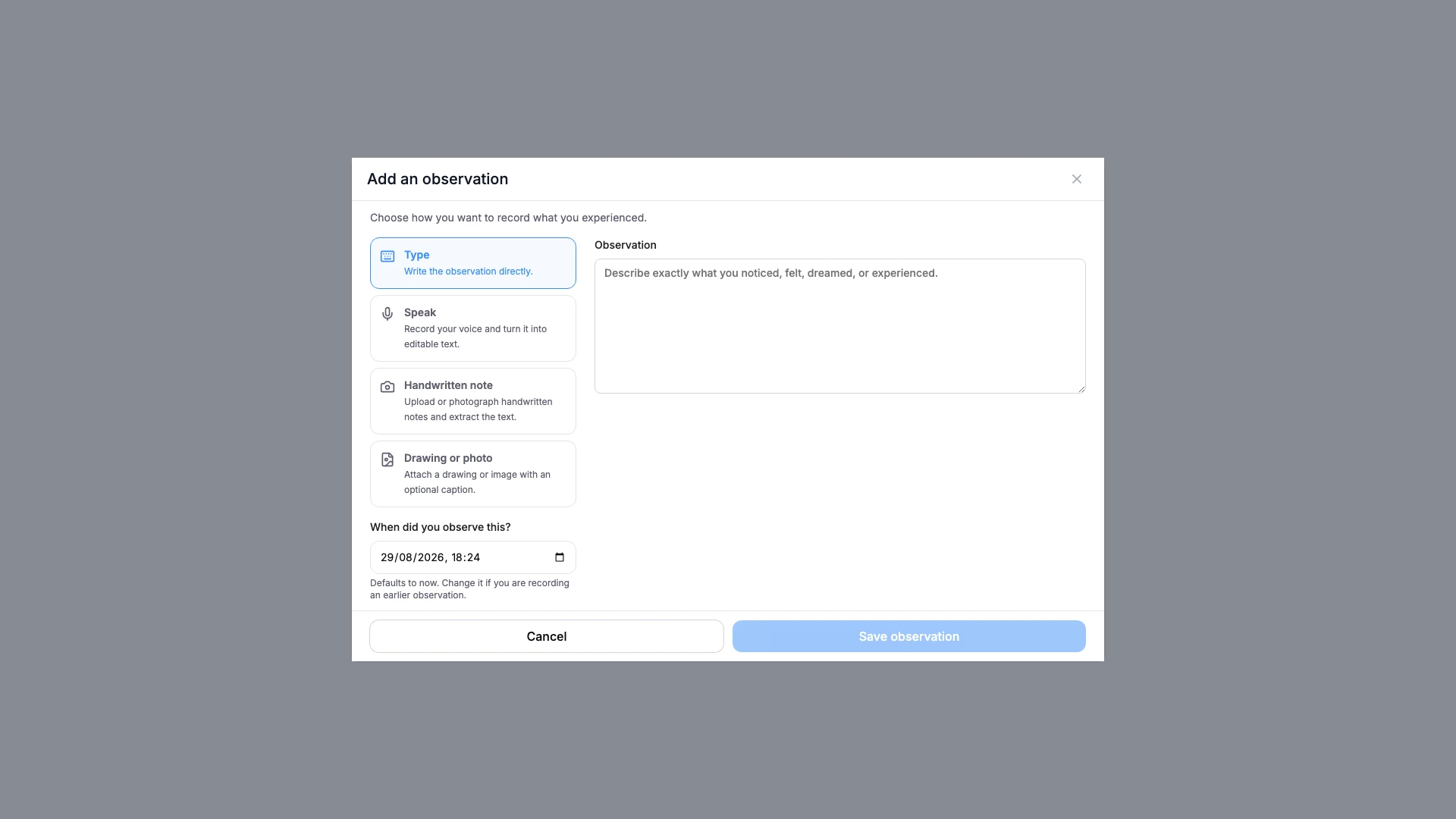
- Start a new observation.
- Choose typing, audio, or a supported upload option.
- Accept the AI processing consent when that input requires it.
- Correct any mistakes in transcribed or extracted text.
- Submit the observation.
What you should see
Your submitted entry shows its capture method and the identity treatment selected by the coordinator.
If something looks wrong
- If the proving is absent, confirm that you signed in with the invited verified email.
- If submission is disabled, the coordinator may have closed the proving.
- If audio or upload processing fails, preserve the observation and enter a corrected typed version.