
Repertory SearchAvailabilityFree
Search Symptoms in Plain Language
Use semantic search to turn an everyday symptom description into relevant repertory rubric suggestions.
Semantic search helps when you understand the symptom but do not know the repertory's exact wording.
Before you start
Semantic repertory search is included on Free and Pro. It suggests possible matches; you remain responsible for checking the complete rubric before using it.
Search a patient phrase
- Choose semantic or plain-language search in Repertory.
- Enter one clear symptom with useful location, sensation, modality, or circumstance details.
- Start the search.
- Compare each suggestion with the original symptom.
- Inspect the full rubric path and remedies.
- Open the relevant case analysis when you need the rubric in a repertorization.
- Repeat the plain-language search inside that analysis.
- Add the verified rubric to the analysis.
What you should see
The results may use different words from your query while preserving its meaning. A relevance indicator helps order suggestions, but it is not a clinical decision.
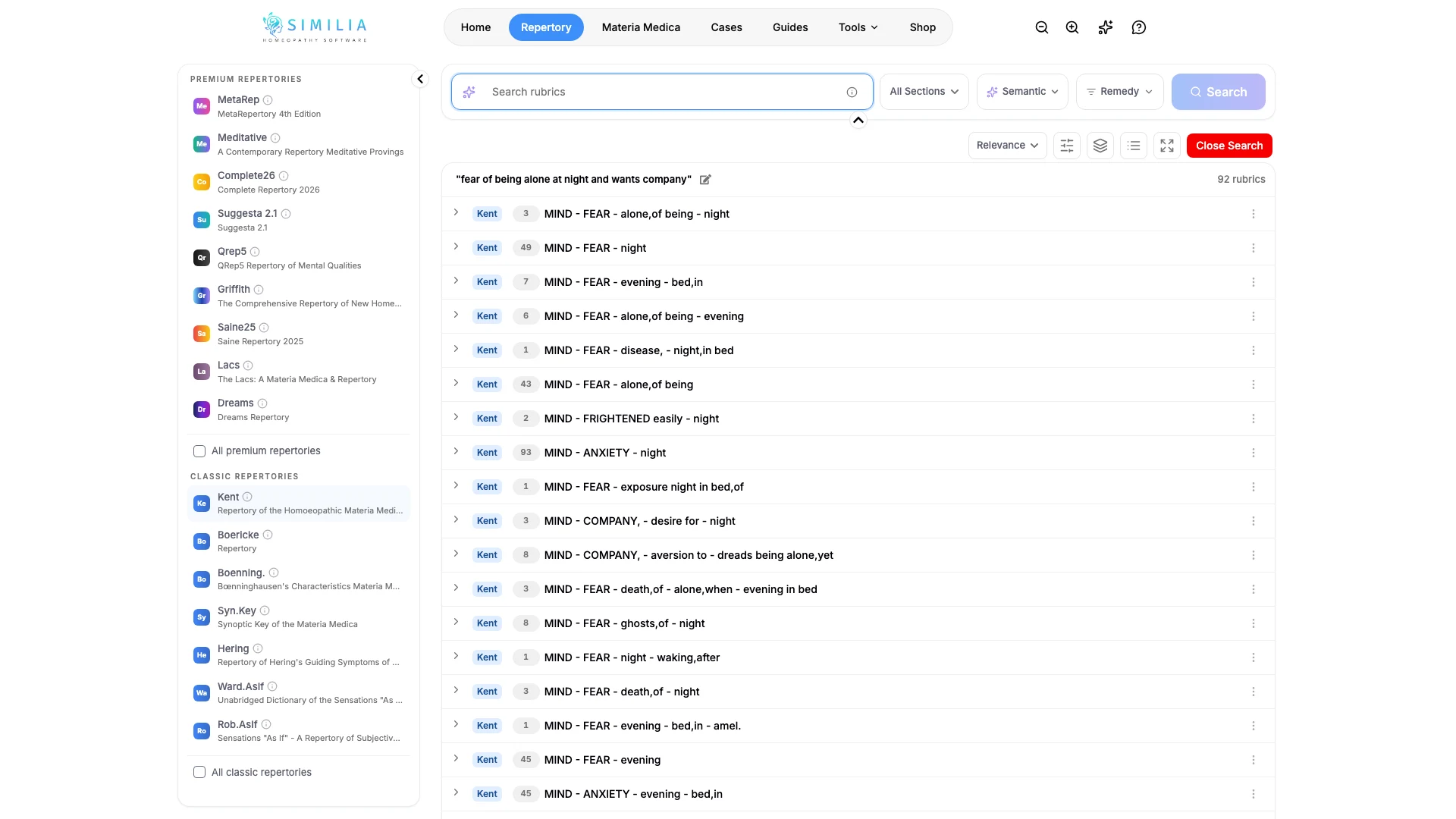
If something looks wrong
- If suggestions are broad, search one symptom at a time and add more concrete qualifiers.
- If the intended meaning is missing, rephrase without abbreviations or specialist shorthand.
- If the request fails, keep your text, check your connection, and try again.
- If there is no semantic option, Manual work mode is on: choose AI-assisted in Settings under Work mode.