
Start HereAvailabilityFree
Find Your Way Around Similia
Learn where the repertory, Materia Medica, cases, tools, settings, and help live before you begin working.
Use this quick tour to learn the few places you will visit most often. You do not need to configure anything first.
Before you start
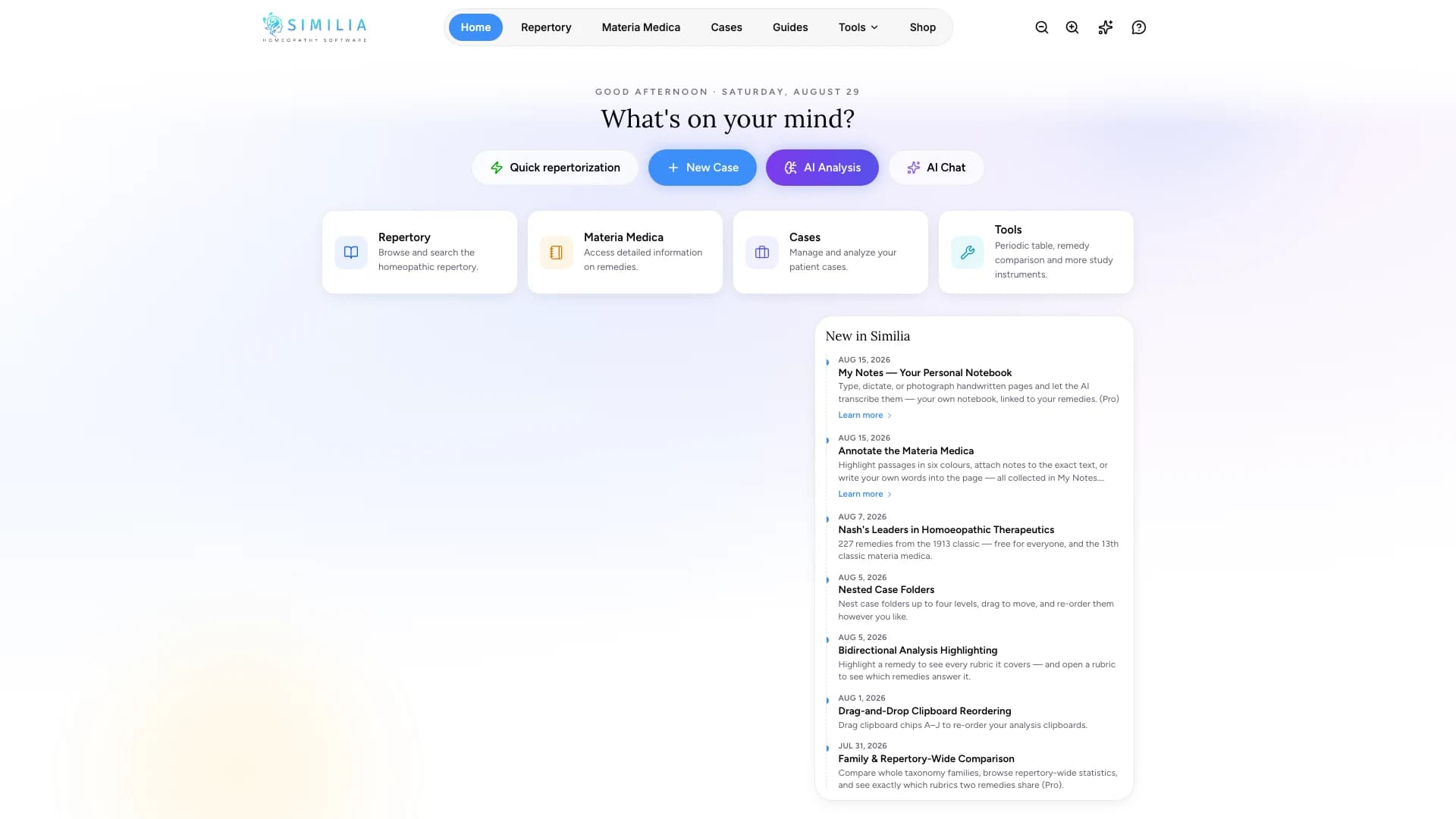
Sign in to Similia and wait for the Home screen to appear. Every plan uses the same main navigation; items you cannot use yet will explain which plan or add-on is needed.
Find the main areas
- Select Home to return to your starting point.
- Select Repertory for rubric work.
- Select Materia Medica for remedy books and profiles.
- Select Cases for case records and analyses.
- Open Tools for My Notes, the Periodic Table, remedy comparison, and provings.
- Select your account menu when you need Settings, plan information, or sign out.
- Select Guides whenever you want these instructions again.
What you should see
The active area is highlighted in the navigation. On a narrow screen, open the menu first; the destinations are the same.
If something looks wrong
- If the page keeps loading, check your connection and refresh once.
- If a feature displays an upgrade message, your account is working; that feature needs a different entitlement.
- If the navigation is collapsed, widen the window or open the mobile menu.