
Materia MedicaAvailabilityVaries
Read Remedy Profiles and Switch Sources
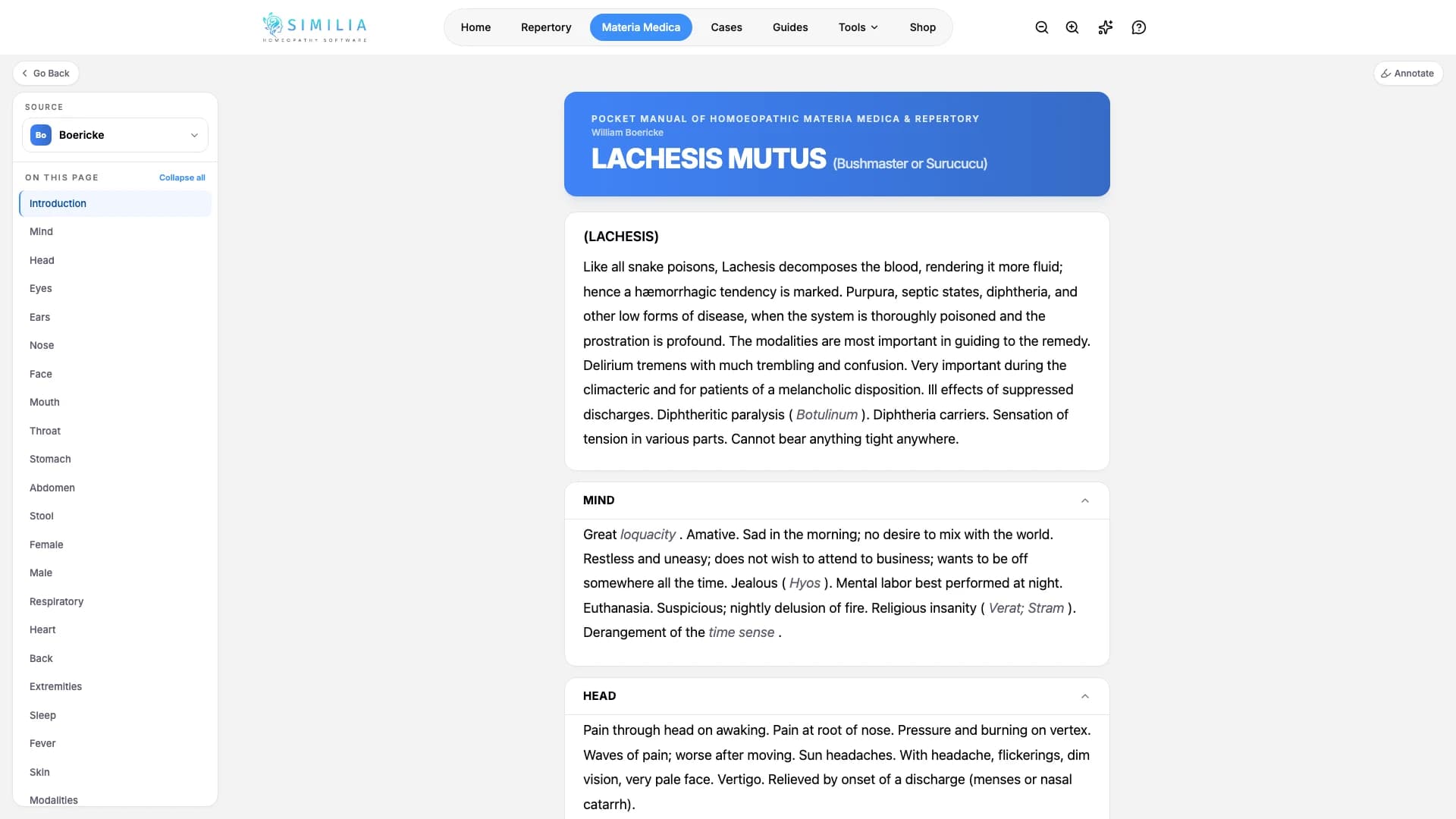
Open a remedy profile, use its section navigation, and compare the same remedy in another available book.
Source switching keeps the remedy fixed while changing the author or book you are reading.
Before you start
Choose a remedy in Materia Medica. Free can read profiles from the 21 classic books. Premium books may appear in the source selector even when they are locked; their content requires Pro or the matching add-on entitlement.
Read and compare
- Confirm the remedy name at the top of the reader.
- Use the section list to jump to a relevant part of the profile.
- Read enough surrounding text to preserve the author's context.
- Open the source selector.
- Choose another available author for the same remedy.
- Check the new source label.
- Confirm that the body text changed.
- Return to the previous source whenever you need to compare wording.
What you should see
The remedy remains the same while the byline, book title, sections, and source text reflect your new selection.
If something looks wrong
- If a source cannot be selected, it may require Pro or a separate add-on.
- If the remedy is absent from a book, choose another source; not every book covers every remedy.
- If your reading position jumps, use the section list after switching sources.