
ToolsAvailabilityPro
Create a My Note
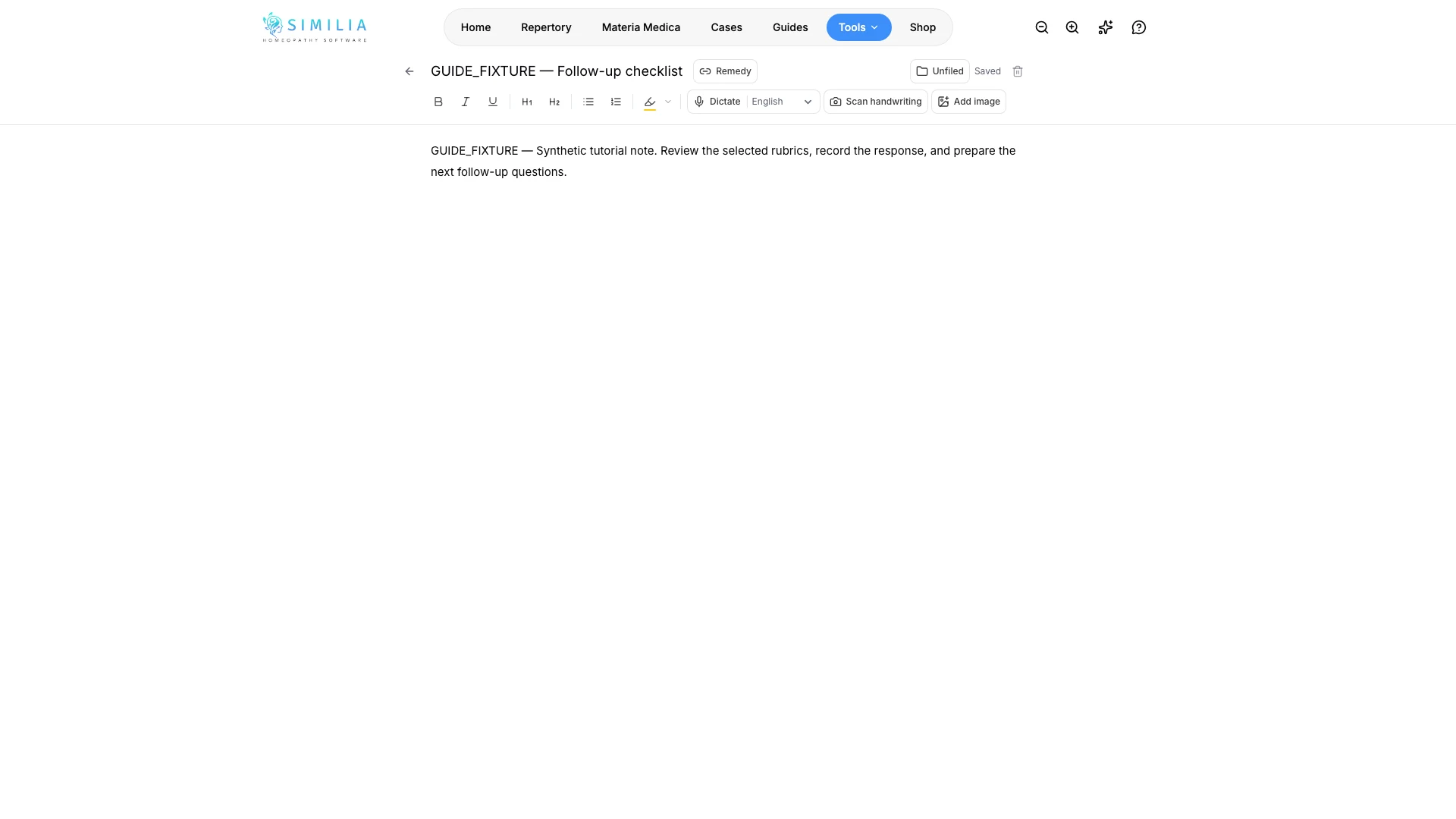
Create a private reference note, format it, connect it to remedies, and save it in My Notes.
My Notes is your private reference library, separate from notes attached to patient cases.
Before you start
My Notes requires Pro. Decide whether your information belongs in a reusable reference note or in one patient's case before creating it.
Create the note
- Go to My Notes in Tools.
- Select the action for creating a note.
- Give it a specific title that you will recognize in search.
- Write or paste the main text.
- Format the text with headings or lists when helpful.
- Link the relevant remedies when the editor offers that option.
- Choose a folder if you already use folders.
- Wait for the saving state to finish before leaving the editor.
What you should see
The new note appears in My Notes with its title, excerpt, folder, and remedy connections.
If something looks wrong
- If creation is locked, confirm Pro access.
- If formatting looks unexpected, remove copied formatting and apply the editor controls again.
- If the note is missing, clear list filters and wait for the save to finish before refreshing.