
Explore the Periodic Table
Navigate the interactive table by series and stage and open the remedy information connected to an element.
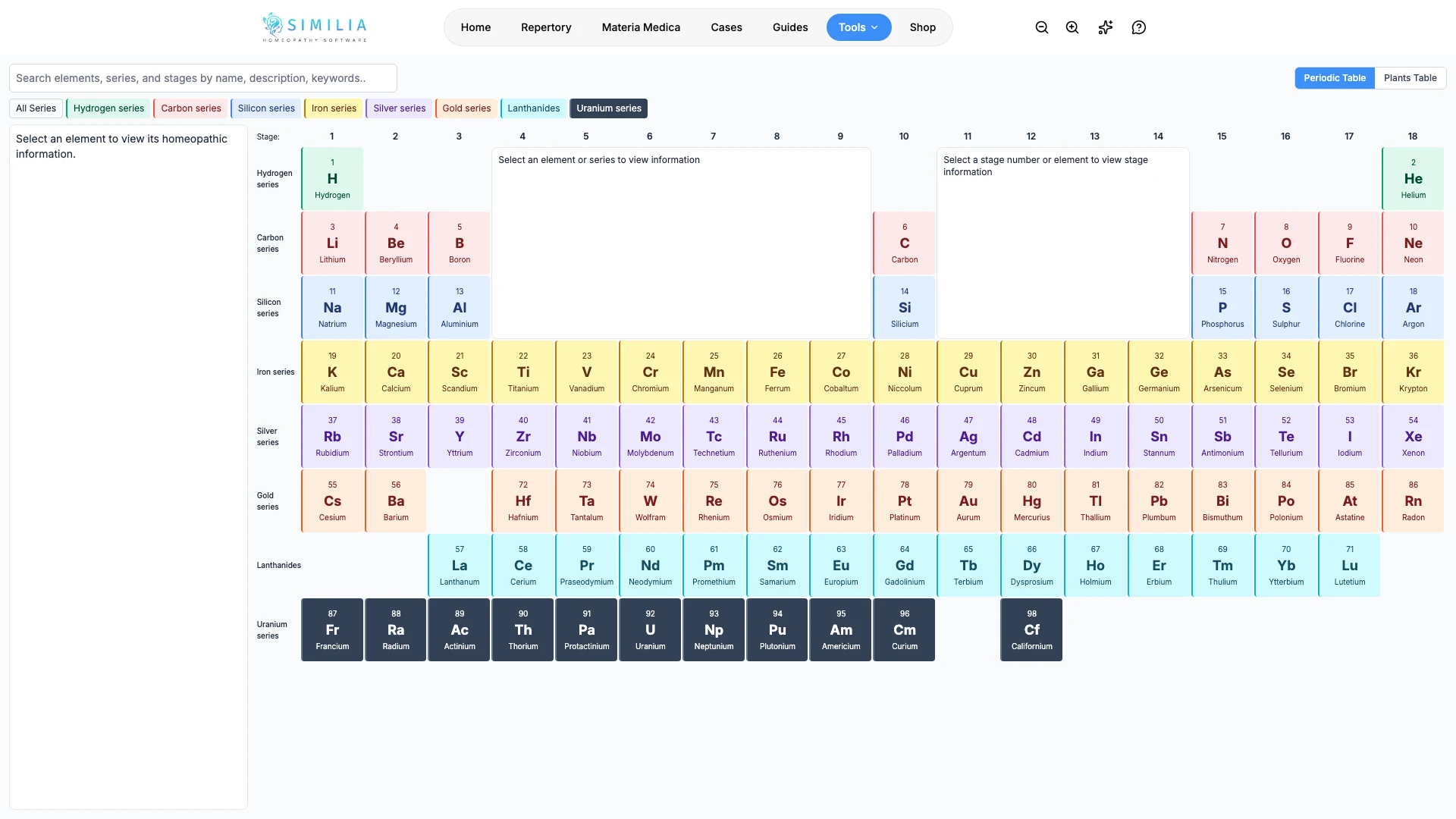
The Periodic Table uses Jan Scholten’s catalogue to show seven series, 18 stages, and the available element chapters. Carbon and silicon appear at Scholten stage 10. The Lanthanides appear on a separate row within the Gold series.
Before you start
The Periodic Table requires Pro. This guide explains the controls, not a clinical method or the meaning of a series or stage.
Explore the table
- Go to Scholten Tables in Tools. The Periodic Table opens first.
- On a desktop, keep browser zoom at its normal setting to see the whole table on one page. On a narrow screen, scroll within the table to reach other columns.
- Select one element cell.
- Read the element panel beside the table and the series and stage panels in its upper empty space. Scroll inside a panel to read longer chapters. The source text is shown in its original English.
- Open a Jan Scholten · Qjure link to read the original chapter, or use Related Remedies at the bottom of the element panel. Scroll within that list to reach every entry.
- Return to the table.
- Select a nearby element to compare its position and details.
- Select All series when you want the full overview again, or select Plants Table at the top of the page to open Jan Scholten's Plants Table.
What you should see
The selected cell is visually distinct. On a desktop, the table and all three information panels stay visible without scrolling the page. On a narrow screen, the element panel sits above the table. Select a series or stage number to highlight its elements. Select Lanthanides to highlight that subgroup, or search the source text for a name or theme.
Only elements with an available Scholten series and stage appear in the table. Colors distinguish the series in the interface; the palette is a design choice, not a color classification supplied by Scholten. The Lanthanides have their own cyan row and a matching filter button.
Related remedies come from the catalogue's element families and explicitly named constituents, alongside the existing curated relationships. A salt can appear under more than one element: for example, Natrium muriaticum appears under sodium and chlorine. Search also checks related remedy names and abbreviations.
Related Remedies shows only remedies with an available chapter in an accessible book. The count matches those links, which follow the materia-medica book priority. Hover over a link to see the remedy's full name.
If something looks wrong
- If the tool is locked, confirm Pro access.
- If labels overlap, reset browser zoom and use the table's own controls.
- If a linked remedy is locked, that source may require a separate book entitlement.