
AI ToolsAvailabilityPro
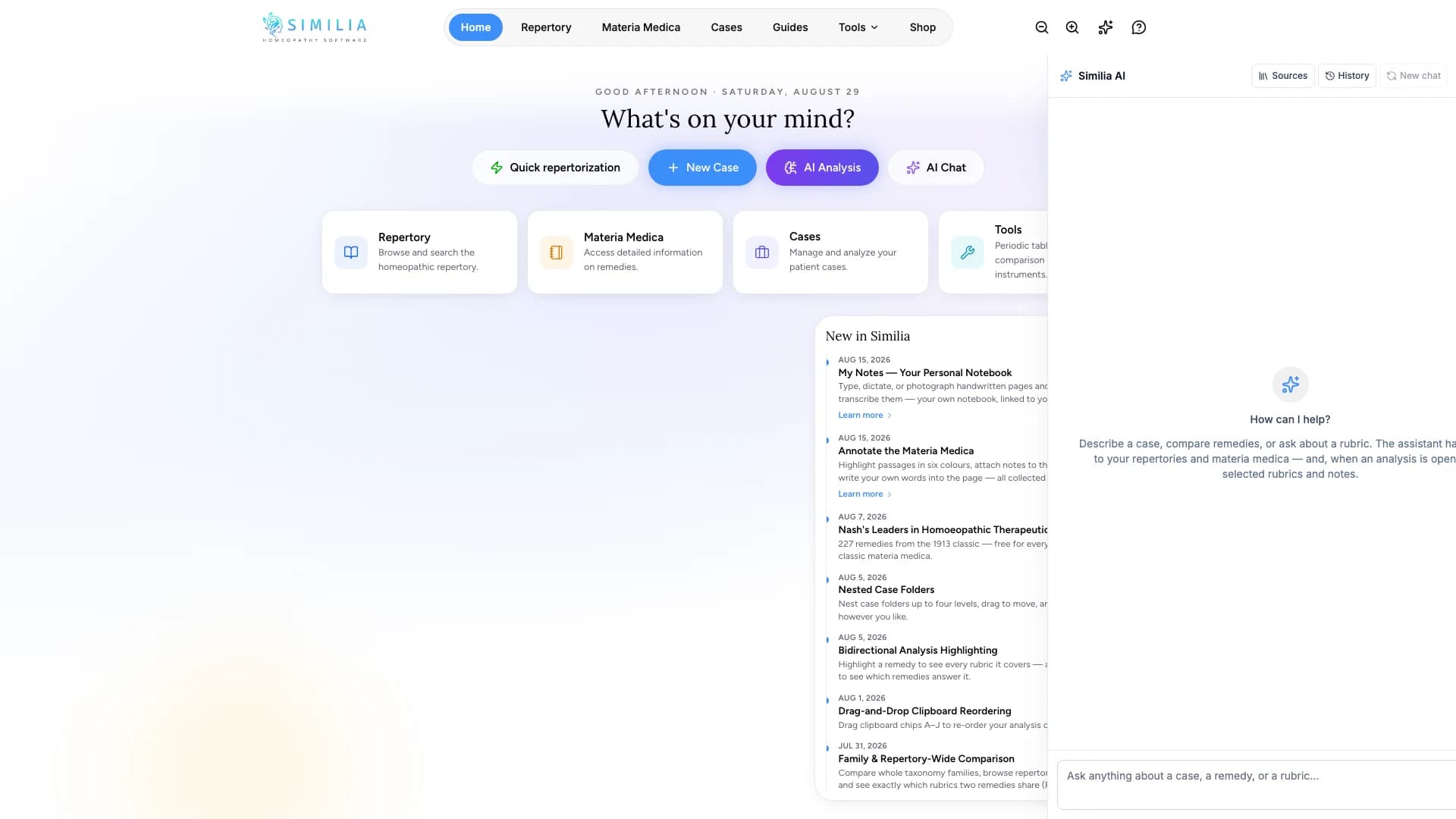
Use the Similia AI Assistant
Ask a focused product or case-work question, inspect the response and sources, and keep the conversation on track.
The AI Assistant supports focused exploration inside Similia. Clear questions produce responses that are easier to verify.
Before you start
The assistant requires Pro, AI consent, and sufficient AI credits. Avoid personal identifiers unless you are authorized to process them.
Ask and verify
- Open the AI Assistant from its visible assistant control.
- Start a new conversation when the topic is unrelated to the previous one.
- Compose one specific question with only the necessary context.
- Send the message.
- Wait for the full response.
- Inspect any linked source, remedy, rubric, or case reference.
- Ask a short follow-up when one part needs clarification.
- Verify useful information in the relevant Similia source before copying it.
What you should see
Your prompt and the response remain in a conversation, with structured cards or links when the assistant can connect to Similia content.
If something looks wrong
- If the assistant is locked, check Pro access.
- If a request is refused or cannot run, remove unnecessary personal data and make the question narrower.
- If a response fails, keep the prompt, check credits and connectivity, then retry once or use the underlying feature manually.