
מטריה מדיקהזמינותPro
הוספת הערות ל-Materia Medica
סמנו קטע, צרפו הערה אישית, עיינו בה מאוחר יותר, והסירו אותה בבטחה.
הערות שומרות את התצפיות הפרטיות שלכם מחוברות למקום הרלוונטי בטקסט המקור.
לפני שמתחילים
הערות ב-Materia Medica דורשות Pro. פתחו את התרופה והמקור המדויקים שברצונכם להוסיף להם הערה.
הוספת הערה
- הפעילו את מצב ההערות אם הקורא מציע מתג נפרד.
- בחרו את הטקסט המסוים שברצונכם לסמן.
- בחרו את פעולת ההדגשה או ההערה.
- הזינו הערה קצרה שמסבירה מדוע הקטע חשוב לכם.
- שמרו את ההערה.
- פתחו את לוח ההערות כדי למצוא אותה שוב.
- בדקו את הקטע שמצורף להערה.
- ערכו או מחקו את ההערה שנבחרה מהתפריט שלה.
מה אמור להופיע
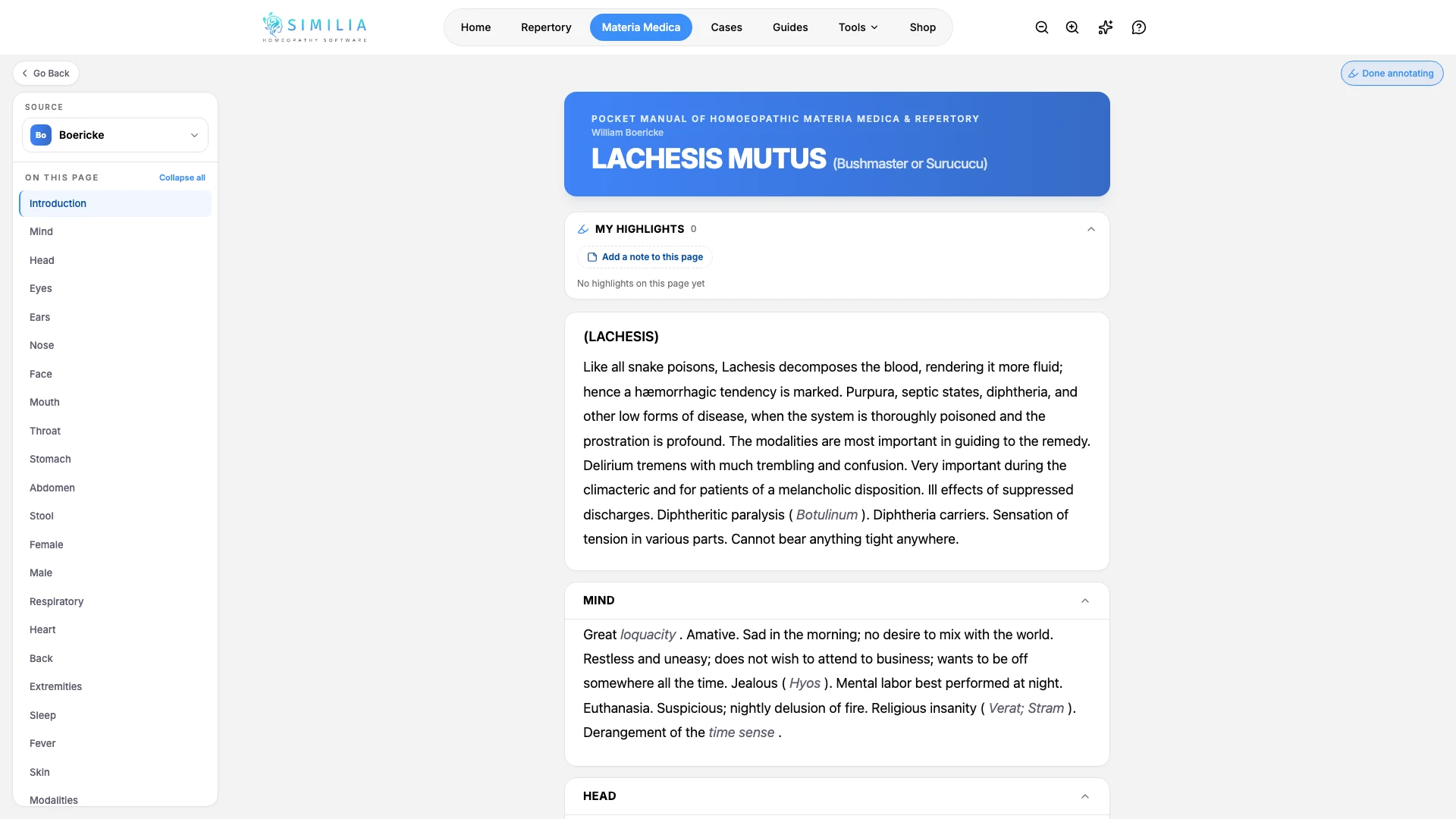
הטקסט המסומן מובחן חזותית, ואפשר לפתוח מחדש את ההערה שלו מתוך הקטע או מרשימת ההערות.
אם משהו נראה לא תקין
- אם בקר ההערות נעול, ודאו שיש גישת Pro.
- אם בחירת הטקסט נסגרת מהר מדי, בחרו קטע רציף קצר יותר.
- אם הדגשה ישנה זזה לאחר עדכון מקור, פתחו את ההערה שלה מרשימת ההערות ואמתו את הטקסט שמסביבה.