
Cases & PracticeAvailabilityFree
Write Case Notes and Manage Analyses
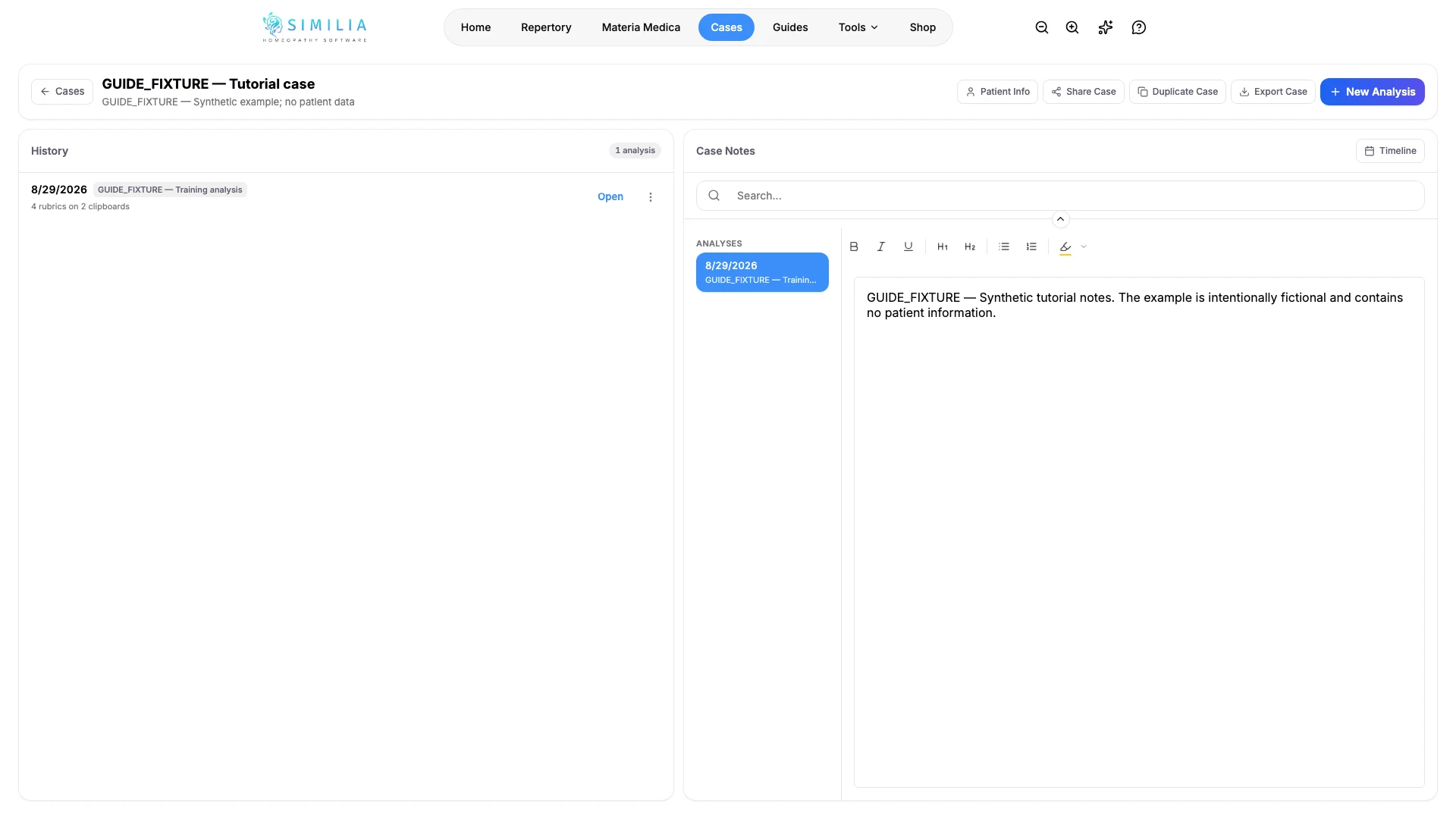
Keep consultation notes with a case and create, rename, open, or remove its analyses.
The case page is the safe starting point for both narrative notes and repertorization work.
Before you start
Open the correct case. Basic notes are available on Free and Pro. Free can create three new analyses per month; Pro can create unlimited analyses.
Add notes and an analysis
- Open the case's notes area.
- Enter a short heading or date so the entry is easy to identify.
- Write the consultation note.
- Save the note.
- Create a new analysis from the analyses area.
- Give the analysis a precise, non-sensitive name.
- Open the analysis when you are ready to add rubrics.
- Use its menu to rename or remove the selected analysis.
What you should see
The note and analysis both remain under the same case, with separate actions for opening or managing them.
If something looks wrong
- If a new analysis is blocked, check the Free monthly allowance.
- If notes appear unsaved, stay on the page until the saving state completes.
- If an analysis is missing, clear any case-page filter and confirm you opened the correct case.