
Settings & AccountAvailabilityVaries
Customize Materia Medica Reading
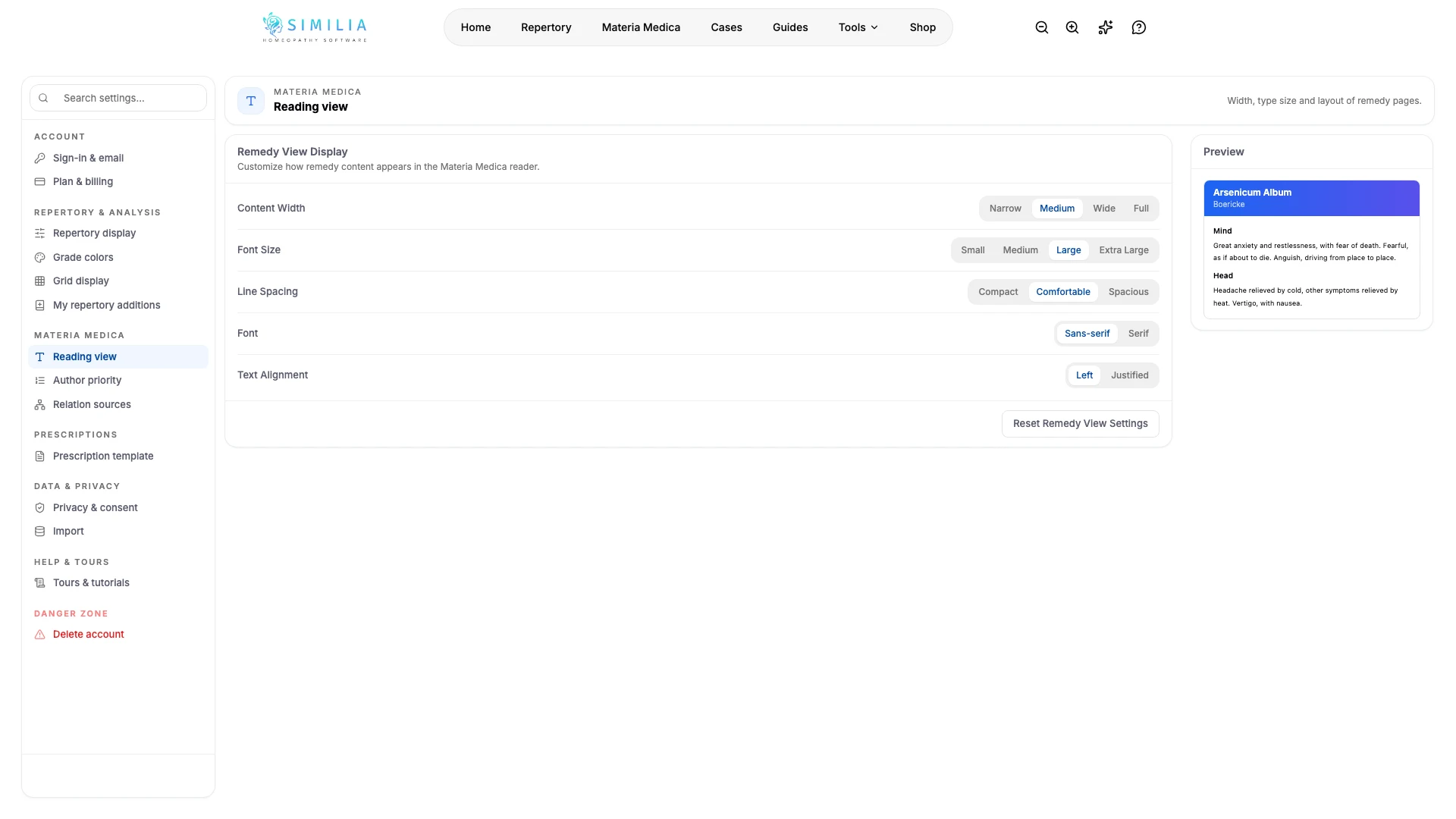
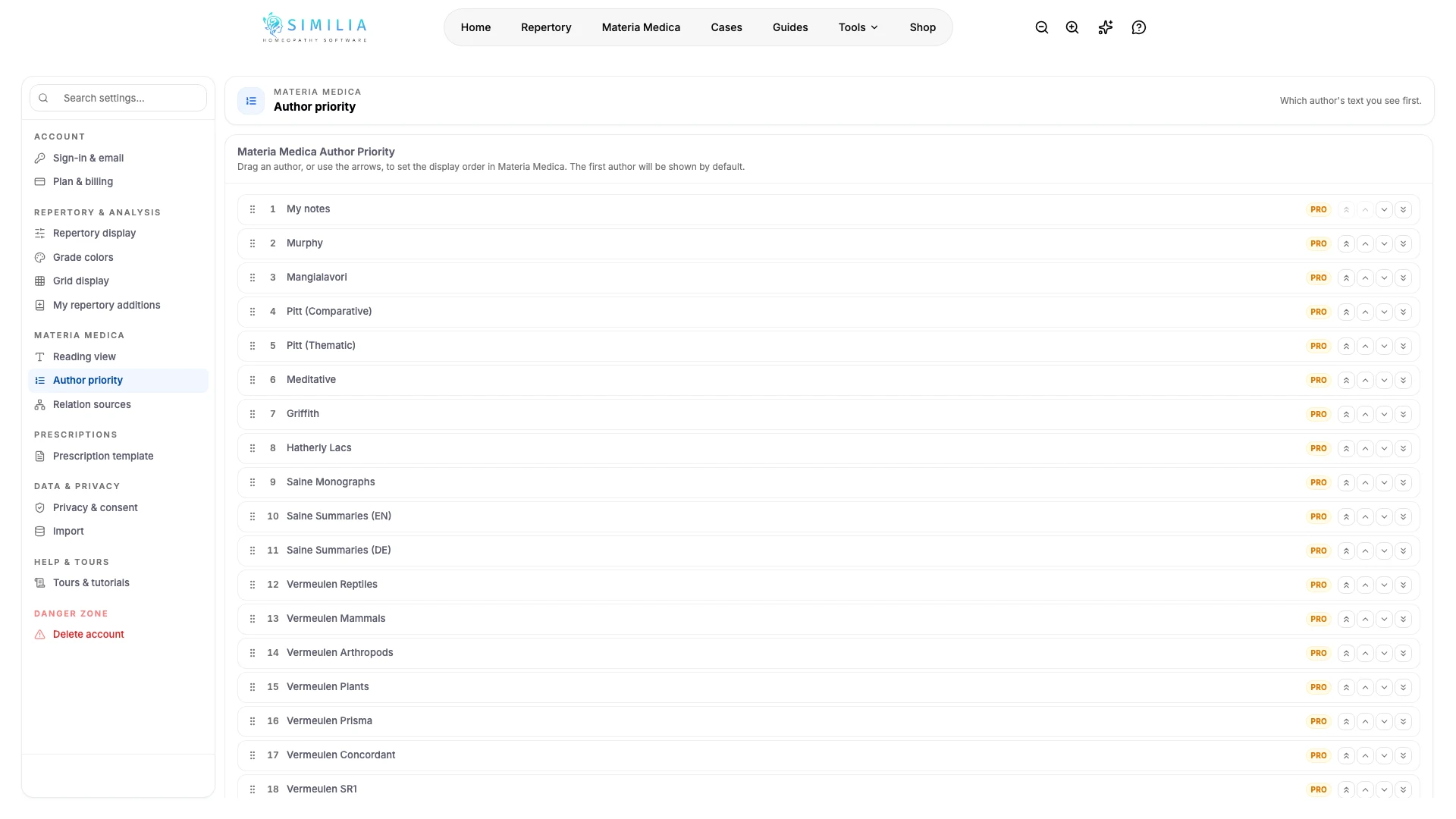
Set the reader width, font, spacing, alignment, author priority, and available relationship sources.
Reader preferences make long source texts easier to follow and choose which available author opens first.
Before you start
Basic reading-view settings apply to available Materia Medica. Author priority follows the books your account can access, and relationship source settings relate to the Pro Relationships feature.
Set your reading preferences
- Open the Materia Medica group in Settings.
- Open Reading view.
- Adjust the content width, font size, line spacing, font family, and alignment.
- Check a full paragraph in the preview.
- Open Author priority.
- Move your preferred available source toward the top.
- Configure Relation sources only if you use Pro Remedy Relationships.
- Open a remedy profile to check the saved reading preferences.
What you should see
The reader uses your saved typography, and the highest-priority available author becomes the default when possible.
If something looks wrong
- If an author is absent, confirm the book entitlement for your account.
- If Relationships remains locked, it requires Pro even when classic books are available.
- If the reader becomes uncomfortable, use the reset action to restore its defaults.