
Materia MedicaAvailabilityPro
Explore Remedy Relationships
Review relationship information for a remedy and open a related remedy without losing the original context.
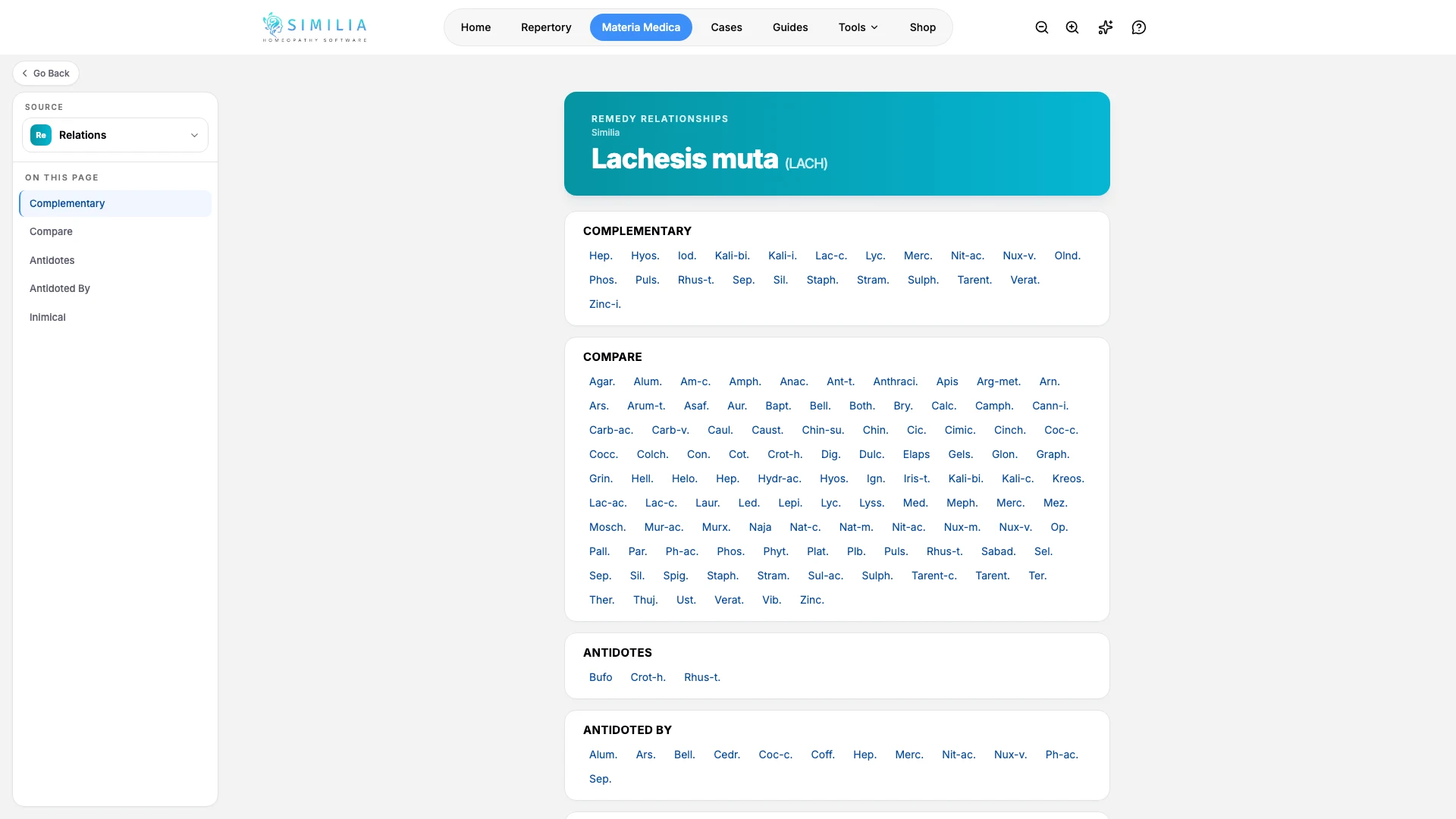
The relationships view collects available relationship information around the remedy you are reading.
Before you start
Remedy Relationships requires Pro. Open a remedy profile in Materia Medica and confirm that it is the remedy you intend to explore.
Explore a relationship
- Open the remedy's source or view selector.
- Choose Relationships.
- Read the relationship groups and any labels shown with them.
- Select a related remedy to inspect it.
- Confirm the new remedy name before reading further.
- Return to the original remedy with Back or the reader navigation.
What you should see
The relationship view names the current remedy and presents connected remedies in organized groups.
If something looks wrong
- If Relationships is locked, confirm Pro access.
- If a group is empty, that relationship information may not exist for the selected remedy.
- If you opened the wrong remedy, use Back rather than trying to reconstruct the original path.