
Choose Repertories and Sources
Choose which repertories Similia searches and understand why some premium sources are locked.
The selected source controls where Similia looks for rubrics. Choose it before searching when you need results from a particular repertory.
Before you start
Free includes eight classical repertories. Premium repertories are available only when your plan or add-on includes that specific source. A Pro subscription does not automatically unlock every separately sold repertory.
Choose a source
- Open Repertory.
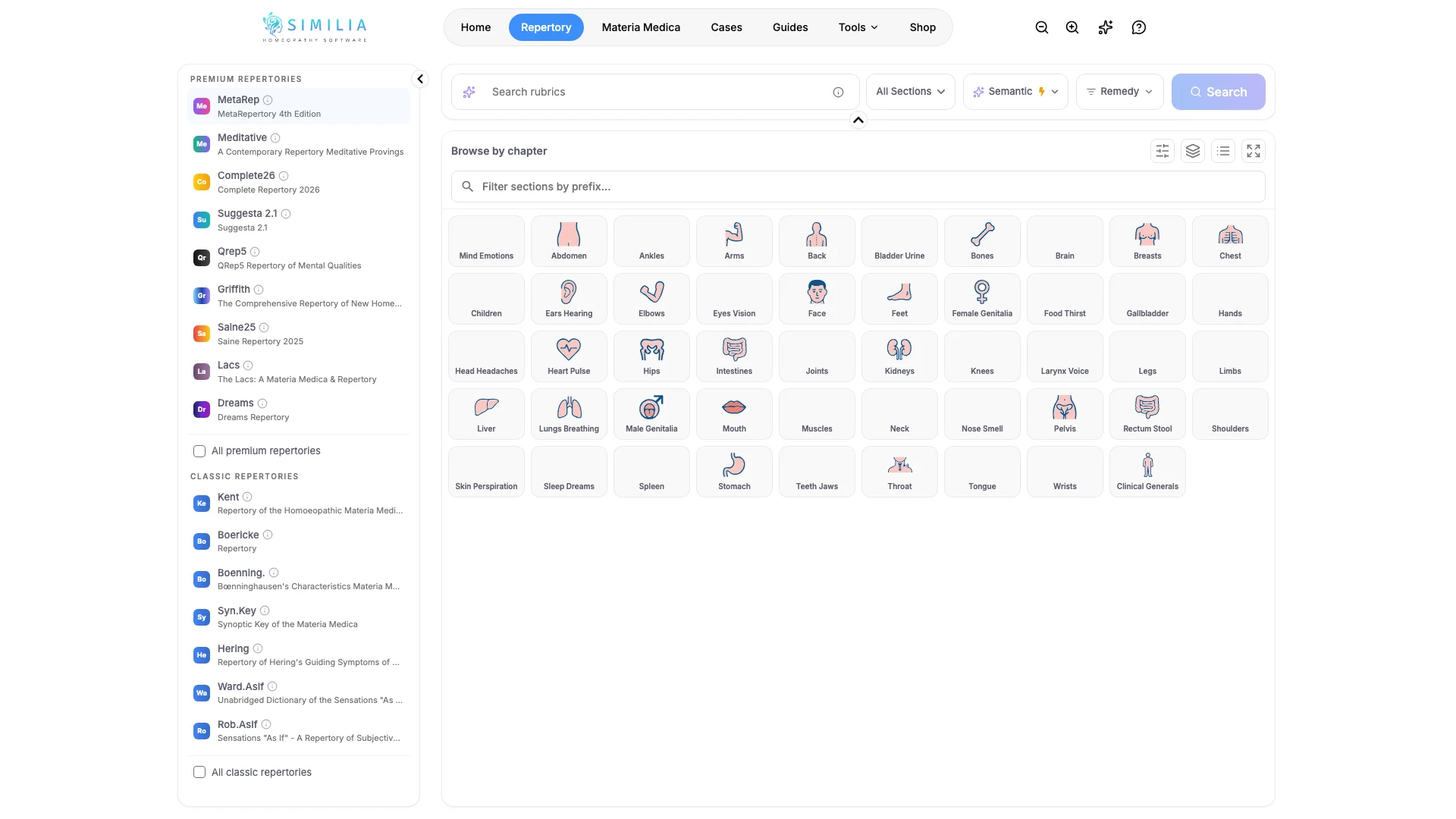
- Open the repertory or source selector near the search controls.
- Review the sources that are available to your account.
- Click a repertory's name to search only that repertory.
- To search several repertories together, tick the box beside each one. Untick a box to leave that repertory out.
- Close the selector if it is still open.
- Confirm that the repertory's name, or the number of repertories, appears in the search area.
- Run a short test search with the selected sources.
What you should see
Every repertory in the search is ticked and highlighted. All classic repertories and All premium repertories tick or untick a whole group at once. At least one repertory always stays selected, so the last ticked box cannot be unticked.
Available sources can be selected immediately. Locked sources stay visible so you can identify them, but selecting one explains the required plan or add-on.
If something looks wrong
- If the expected premium source is locked, confirm the exact edition or add-on in your account.
- If results seem unfamiliar, recheck the selected repertory before changing your query.
- If no sources load, refresh the page after confirming that you are signed in.