
Repertorization & AnalysisAvailabilityVaries
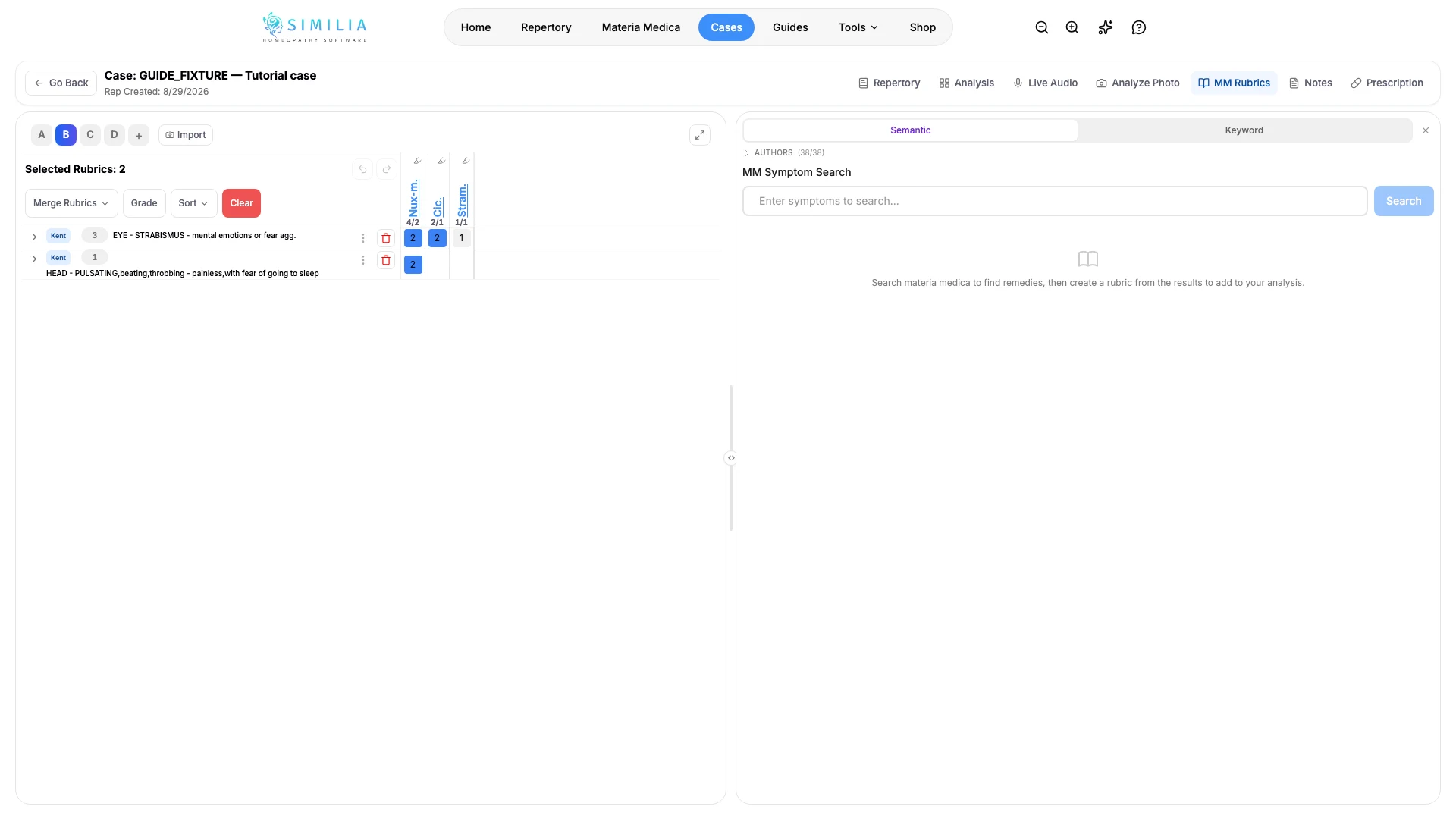
Create Rubrics from Materia Medica Search
Search Materia Medica from an analysis and convert a useful passage into a clearly sourced working rubric.
This workflow lets you use a Materia Medica passage as the basis for a working rubric without leaving the analysis.
Before you start
Open a case analysis. Available books follow your account entitlements, and advanced Materia Medica search options may require Pro or the relevant premium source.
Create the working rubric
- Open the Materia Medica search panel from the analysis.
- Enter one focused symptom or theme.
- Choose only books your account can access.
- Read the surrounding passage, not just the highlighted words.
- Select the action for creating or adding a rubric from the useful result.
- Review the proposed wording.
- Review the remedies that will be included.
- Confirm the addition to the active analysis clipboard.
What you should see
The new working rubric appears with its source context available for later inspection.
If something looks wrong
- If search is unavailable, review the plan or source named in the upgrade message.
- If there are too many results, use a distinctive phrase and fewer selected books.
- If the rubric went to the wrong sheet, select the intended clipboard before confirming.