
ToolsAvailabilityPro
Create and Manage a Proving
Create a proving as coordinator, invite verified participants, manage visibility, and close it when complete.
The coordinator defines the proving, controls participation, and reviews the shared observation feed.
Before you start
Creating and coordinating a proving requires Pro. The coordinator must sponsor AI entry processing and decide whether participant identities are hidden or visible before other people join.
Create and administer the proving
- Go to Provings Lab in Tools.
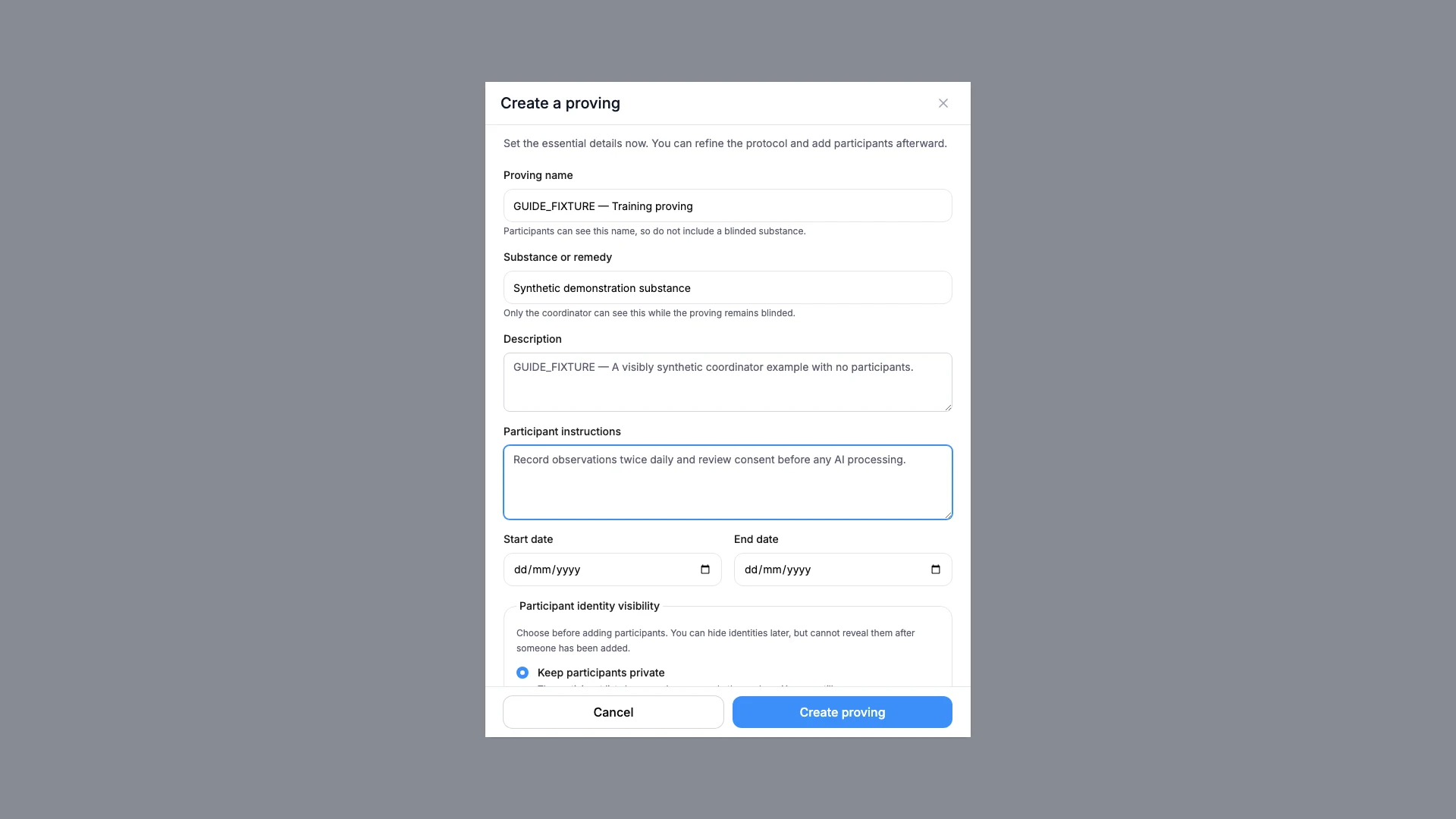
- Select the create action.
- Complete the name, substance, protocol, and date fields.
- Choose participant identity visibility carefully.
- Create the proving with the required sponsored AI-entry setting enabled.
- Add an existing verified Similia account by its email.
- Review participant status and submitted observations.
- Close the proving only when new submissions should stop.
What you should see
The proving appears under your created work with its status, participant count, and observation feed.
If something looks wrong
- If create is locked, the coordinator needs Pro.
- If an invitation fails, confirm the account exists, its email is verified, and it is not already participating.
- If a proving is closed by mistake, review its status controls before asking participants to submit more work.