
Repertorization & AnalysisAvailabilityFree
Add and Organize Rubrics
Build a clear analysis by adding rubrics, changing their weight, reordering them, and removing mistakes.
An analysis sheet is the working list of rubrics used to calculate remedy results. Keep it small and readable while you learn.
Before you start
Open an existing analysis or create one from a case. Free accounts may create three new analyses per month; Pro accounts may create unlimited analyses.
Build the rubric list
- Search or browse for the first rubric.
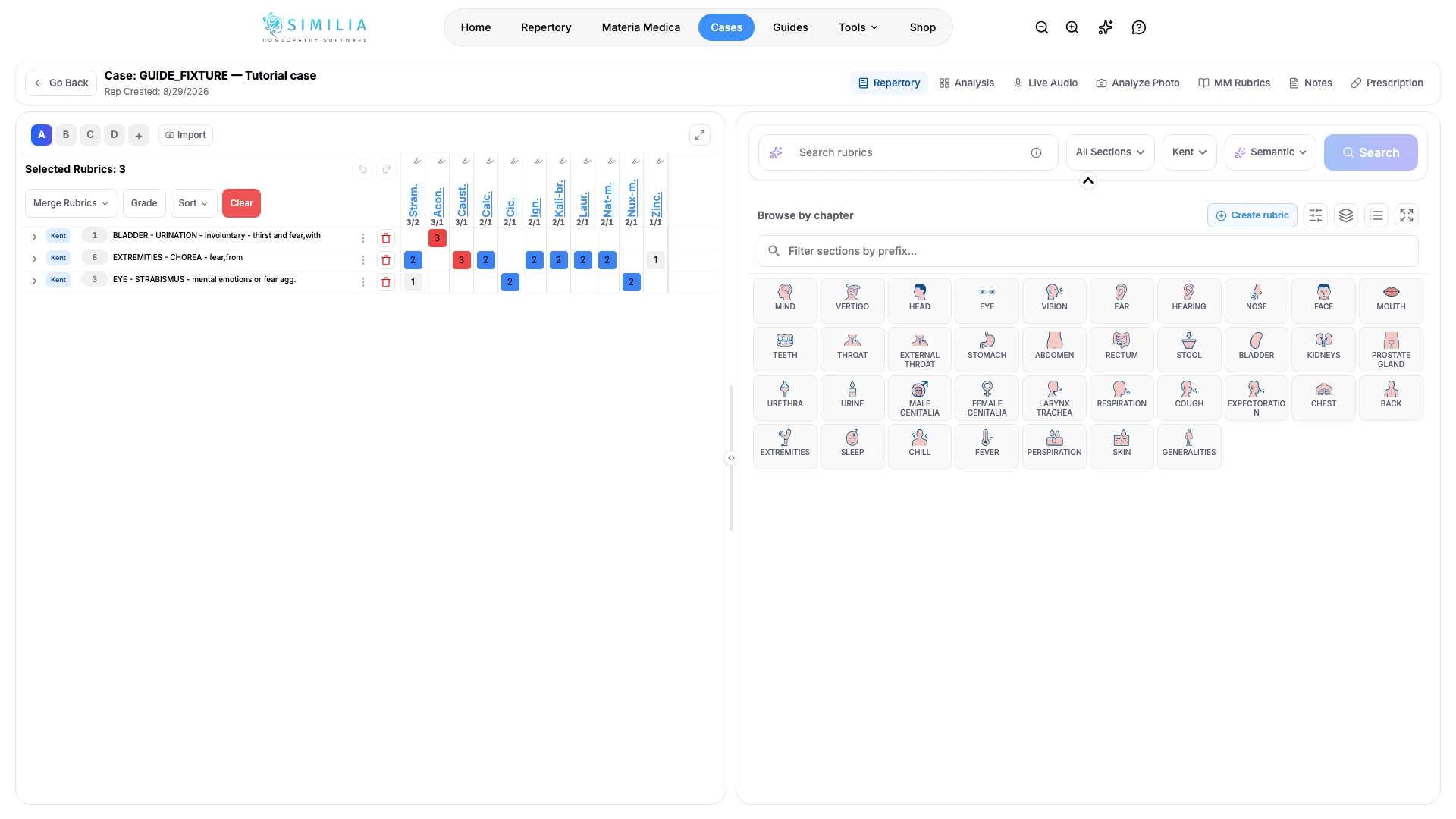
- Read its complete path.
- Add the verified rubric to the active analysis.
- Repeat the search for the other clearly represented symptoms.
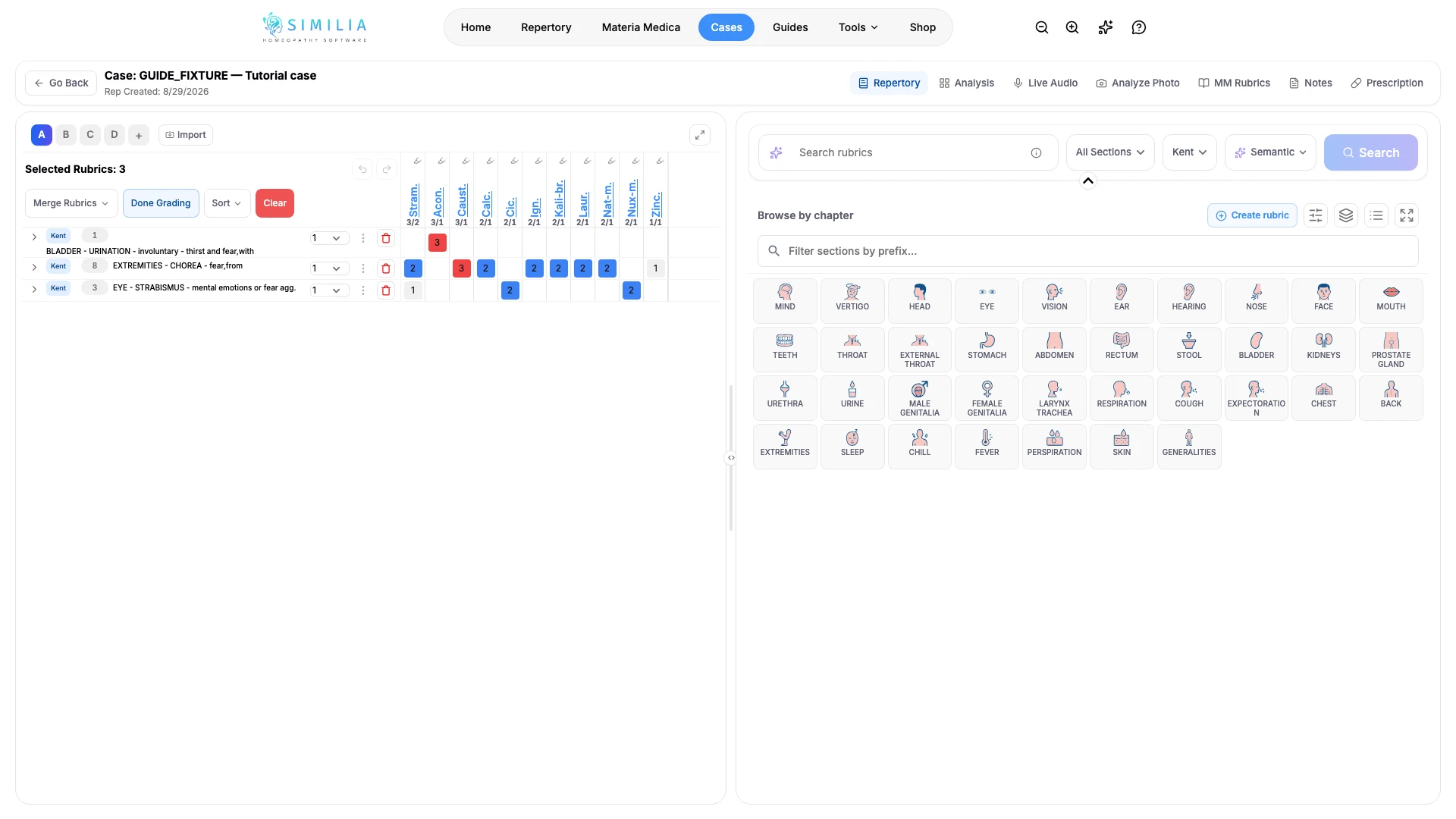
- Adjust a rubric's weight when it needs more or less emphasis.
- Move related rubrics together with drag or move controls.
- Reopen a rubric when you need to review its remedies or source.
- Remove any accidental or duplicate rubric from the sheet.
What you should see
Every chosen rubric appears once in the active sheet with its weight, and the remedy results update when the list changes.
If something looks wrong
- If a rubric went to another sheet, select the intended clipboard before adding it.
- If results do not change, confirm that the rubric was added rather than only opened for inspection.
- If the same rubric appears twice, remove the extra entry instead of changing both weights.