
चेंजलॉग पर वापस जाएं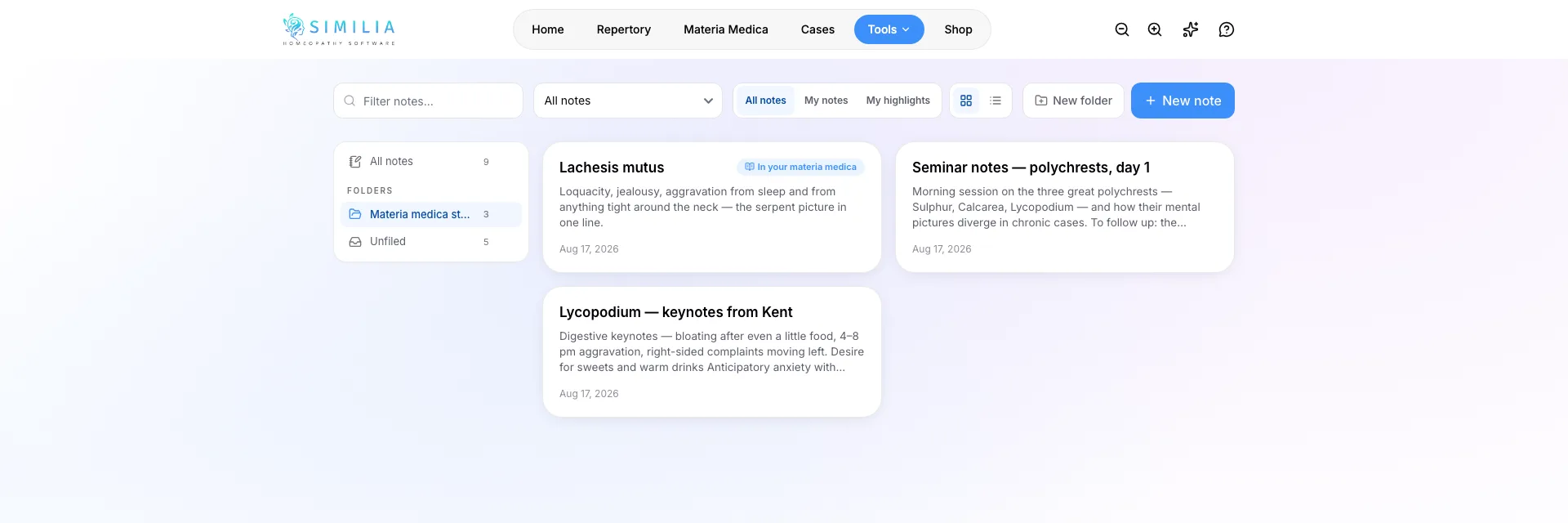
फ़ीचर अपडेट15 अगस्त, 2026प्रो
मेरे नोट्स & मटेरिया मेडिका टिप्पणियां
Similia में बना एक निजी नोटबुक — और आपकी किताबों के हाशियों के लिए एक पेन।
आपका निजी नोटबुक
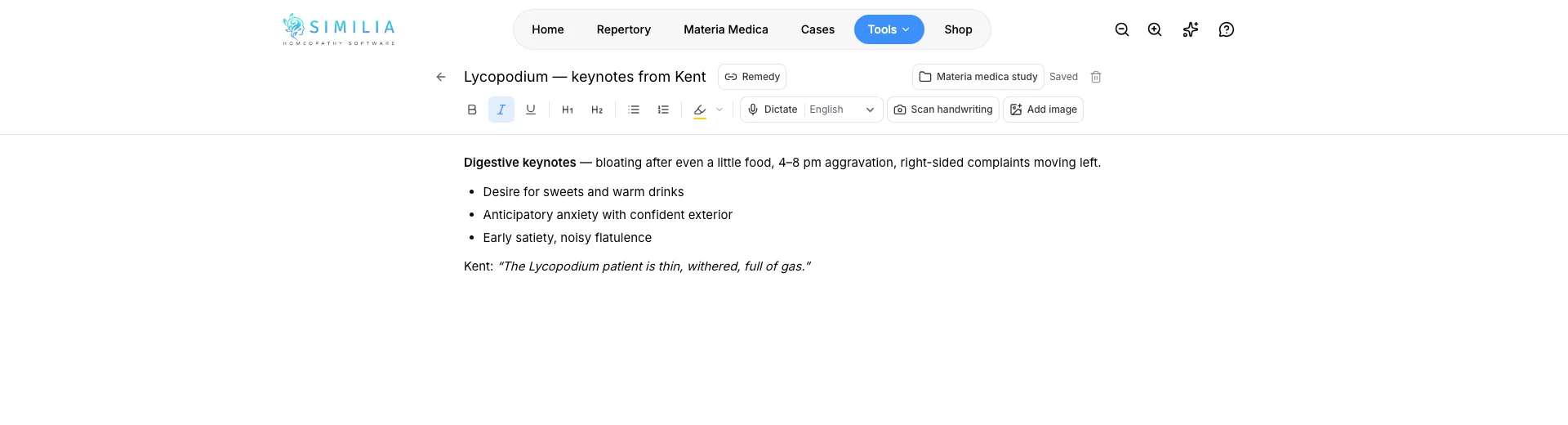
मेरे नोट्स आपके टूल्स में रहता है: वह एक जगह जहां आप सब कुछ रखना चाहते हैं — केस पर विचार, सेमिनार नोट्स, अध्ययन सारांश — उन किताबों के साथ जिन्हें आप पढ़ते हैं।
- पूरे एडिटर में लिखें, नोट में सीधे जुड़ी हुई छवियों के साथ।
- अपने नोट्स बोलकर लिखवाएं और AI को उन्हें आपकी भाषा में ट्रांसक्राइब करने दें।
- हस्तलिखित पृष्ठों की फ़ोटो लें — पाठ आपके नोट में ट्रांसक्राइब हो जाता है, और फ़ोटो स्वयं कभी संग्रहीत नहीं होती।
- नोट्स को फ़ोल्डरों और सबफ़ोल्डरों में व्यवस्थित करें: केस, सेमिनार, प्रूविंग्स — आपकी संरचना।
- किसी नोट को किसी रेमेडी या परिवार से लिंक करें ताकि उसे उस रेमेडी के मटेरिया मेडिका में पढ़ सकें और कीवर्ड खोज से ढूंढ सकें।
मटेरिया मेडिका पर टिप्पणियां जोड़ें
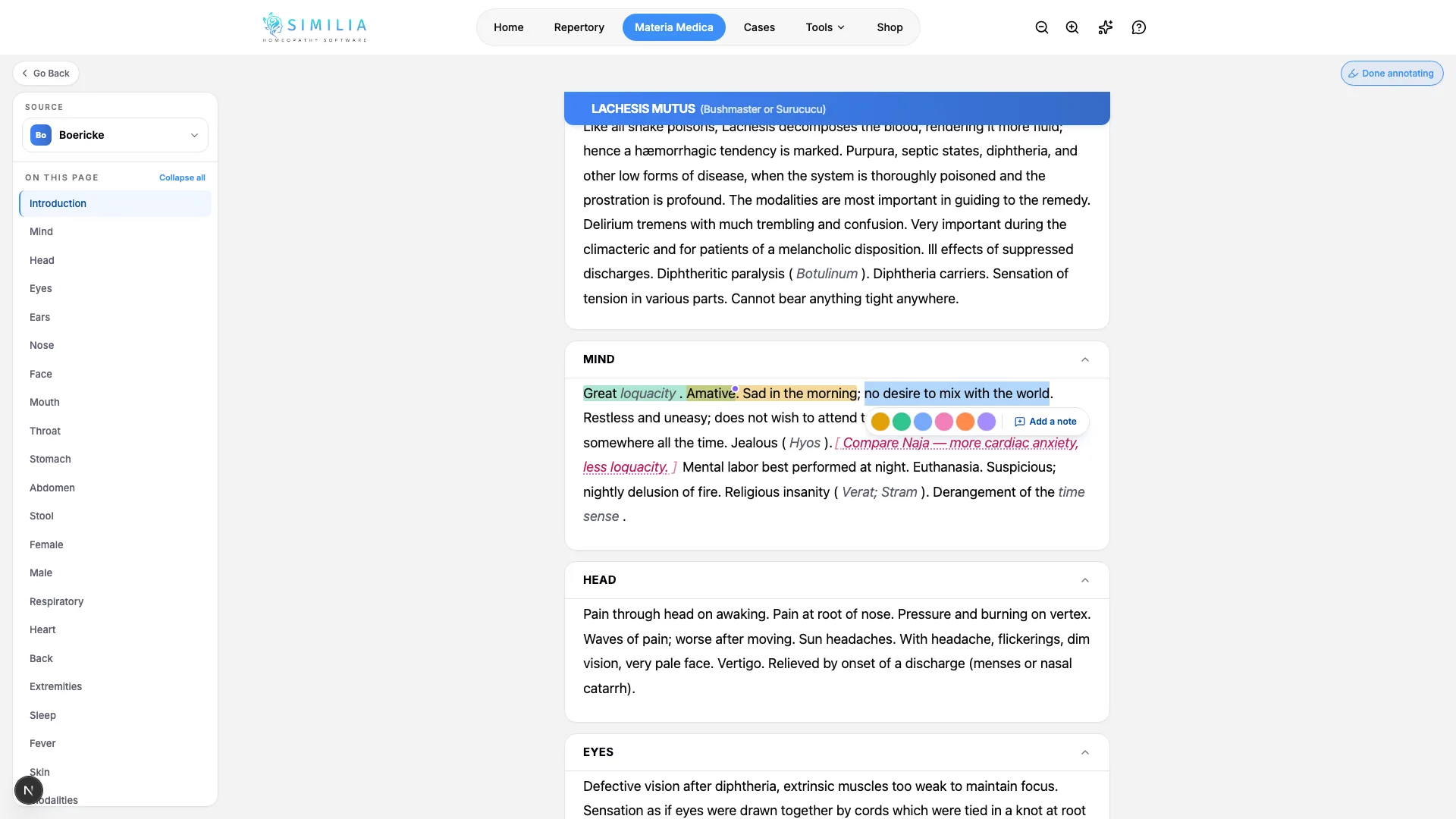
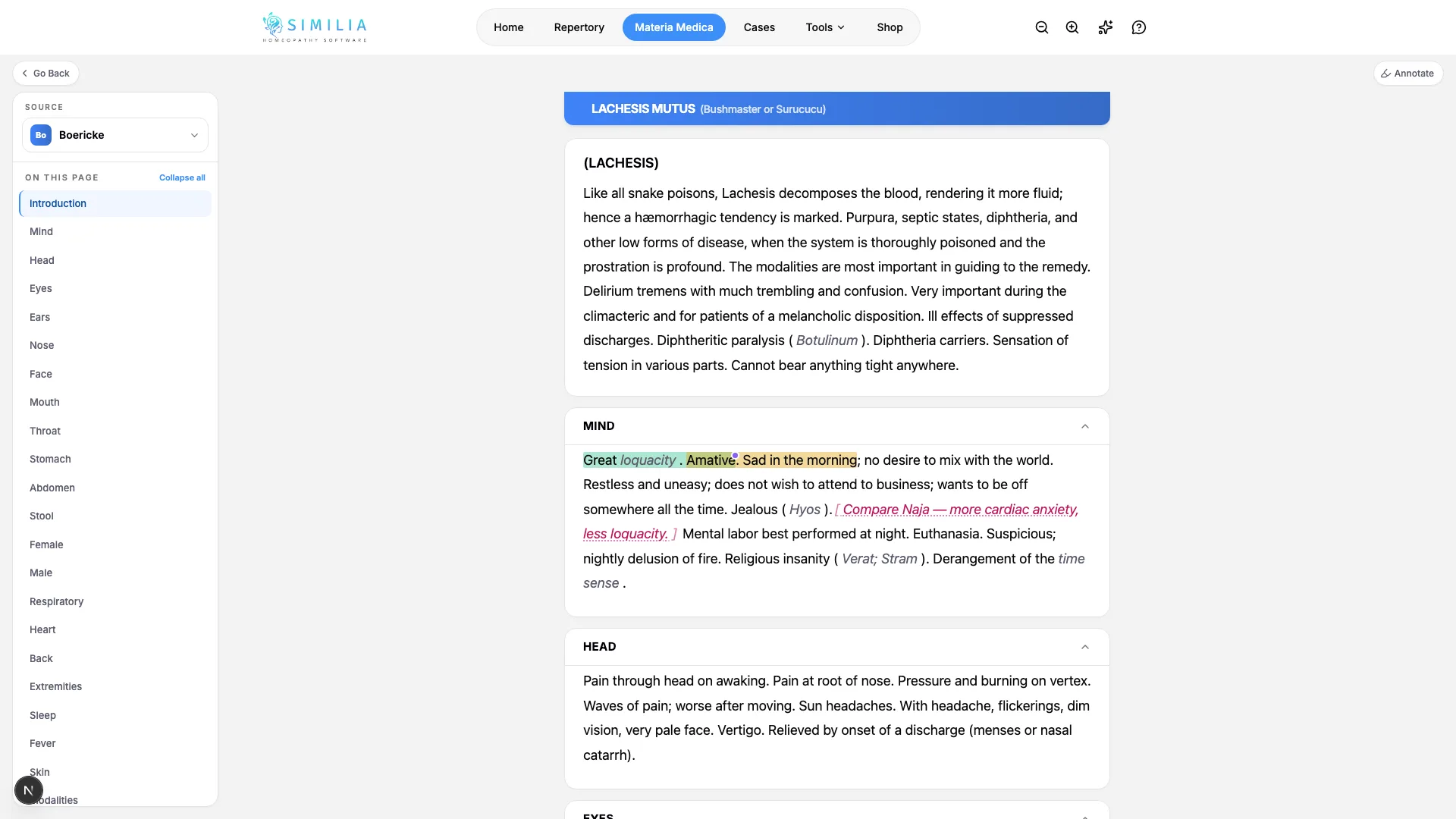
Similia में पढ़ना अब आपकी अपनी किताब की प्रति जैसा लगता है: कोई अंश चुनें और उसे चिह्नित करें, या पंक्तियों के बीच लिखें।
- किसी भी अंश को छह रंगों में हाइलाइट करें।
- नोट को ठीक उसी वाक्य से जोड़ें जिससे वह संबंधित है।
- अपने शब्द सीधे पाठ में लिखें, या जहां चाहें वहां नोट पिन करें।
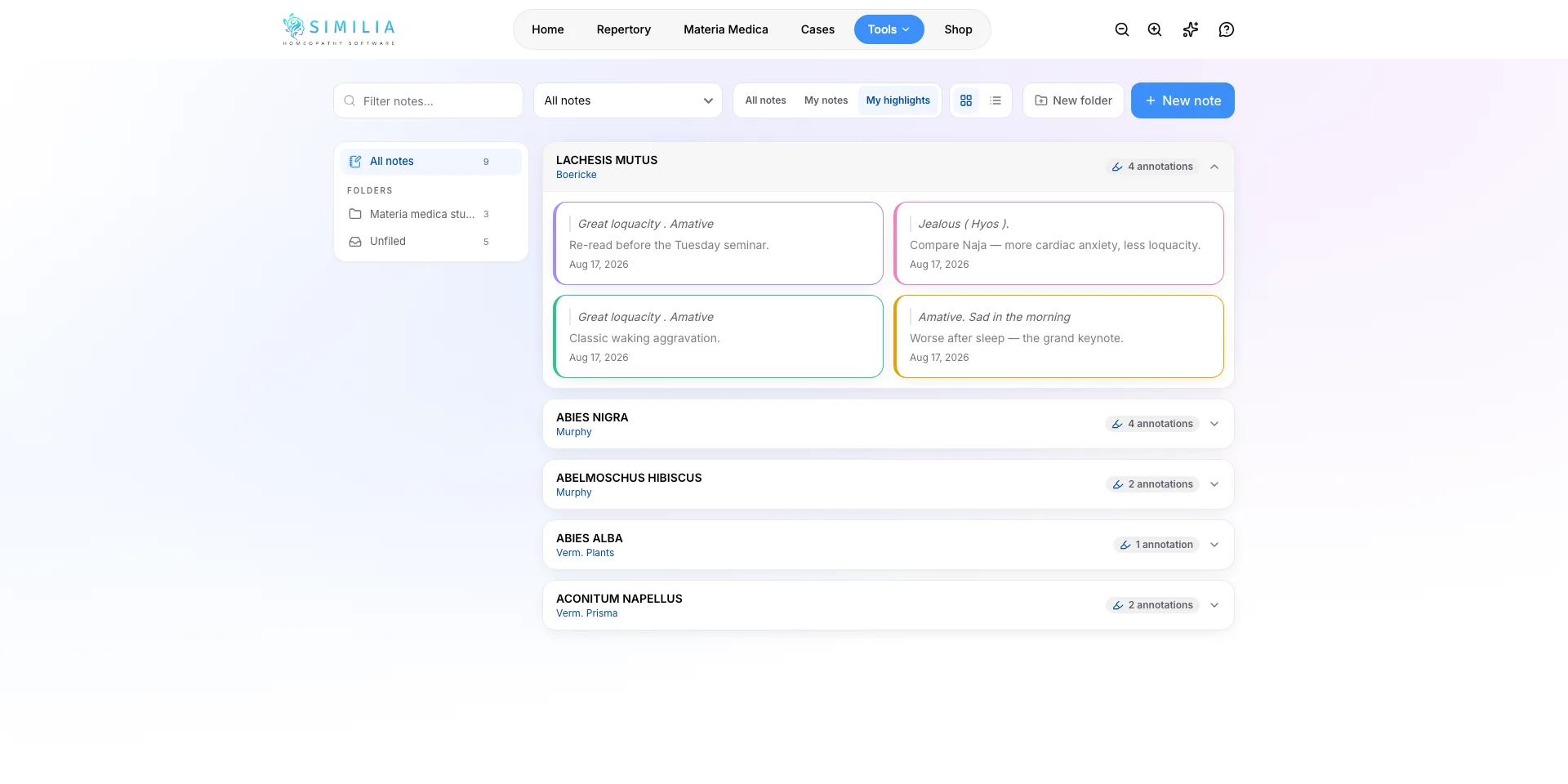
- मेरी हाइलाइट्स रेल पृष्ठ के हर चिह्न को इकट्ठा करती है।
- जब भी साफ़ पृष्ठ वापस चाहिए, एक क्लिक से अपने शब्द छिपाएं या दिखाएं।
एक जुड़ा हुआ नोटबुक
नोट्स और टिप्पणियां दो अलग-अलग सिस्टम नहीं हैं — हर हाइलाइट और हाशिया नोट अपने आप मेरे नोट्स में इकट्ठा हो जाता है, उस किताब के पृष्ठ के आधार पर समूहीकृत जिससे वह आया है।
- अपने नोटबुक को केवल हाइलाइट्स, केवल नोट्स, या सब कुछ दिखाने के लिए फ़िल्टर करें।
- टिप्पणियां रेमेडी और पृष्ठ के अनुसार समूहीकृत होती हैं, इसलिए लंबा पढ़ने का सत्र एक सुव्यवस्थित पंक्ति बना रहता है।
- Similia Pro का हिस्सा — आपके नोट्स आपके खाते तक निजी रहते हैं।
Similia में अपना नोटबुक रखें
मेरे नोट्स और मटेरिया मेडिका टिप्पणियां Similia Pro का हिस्सा हैं।