
Πίσω στο ιστορικό αλλαγών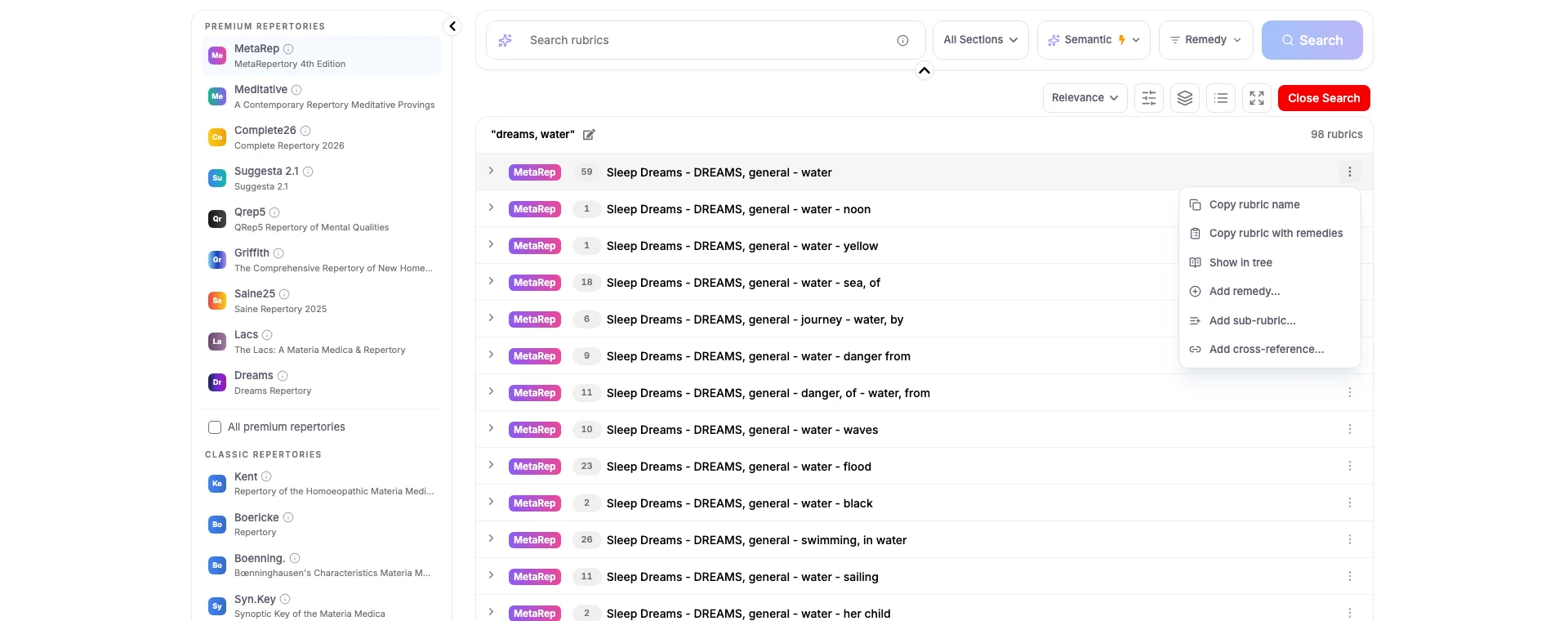
Ενημέρωση λειτουργίαςΙουλ 17, 2026Pro
Οι δικές σας προσθήκες ρεπερτορίου
Όσα έχει επιβεβαιώσει η πρακτική σας ότι ανήκουν στο ρεπερτόριό σας — καταγεγραμμένα με τη συλλογιστική σας, και συνυπολογισμένα στην ανάλυσή σας.
Προσθέστε όσα γνωρίζει η πρακτική σας
Κάθε ρεπερτόριο που μπορείτε να ανοίξετε δέχεται τις δικές σας προσθήκες, από το ίδιο μενού σε οποιαδήποτε σειρά ρουμπρίκας.
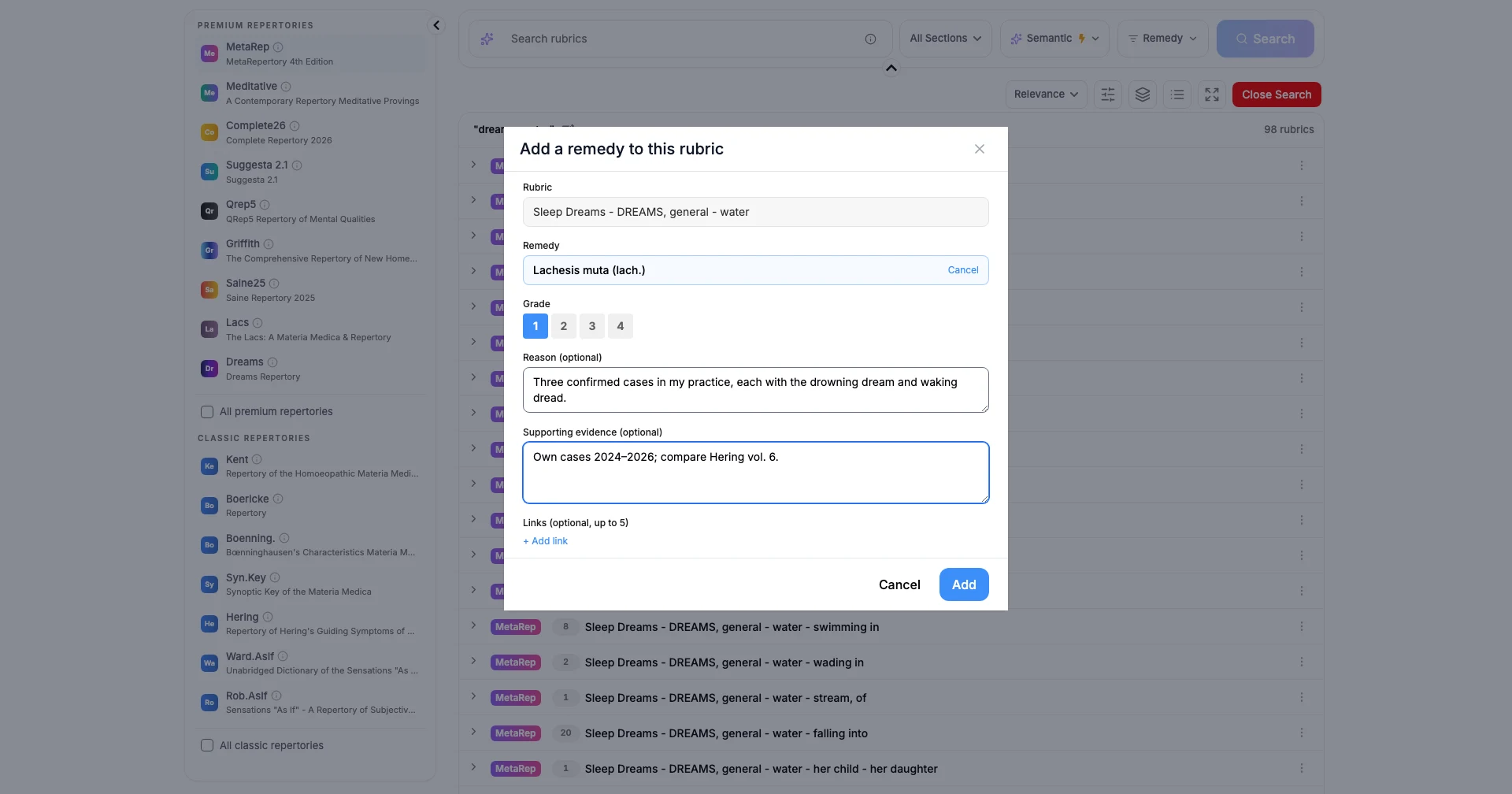
- Προσθέστε ένα υπάρχον φάρμακο σε οποιαδήποτε ρουμπρίκα, στον βαθμό που κρίνετε ότι του αξίζει.
- Δημιουργήστε μια υπο-ρουμπρίκα κάτω από μια υπάρχουσα, ή μια νέα ρουμπρίκα ανώτερου επιπέδου.
- Καταγράψτε μια διασταυρούμενη παραπομπή από μία ρουμπρίκα σε άλλη.
- Γράψτε γιατί ανήκει εκεί, καθώς και τις περιπτώσεις, δοκιμασίες ή τη βιβλιογραφία που το υποστηρίζουν.
- Επισυνάψτε έως πέντε συνδέσμους ως υποστηρικτικά στοιχεία.
Βρίσκονται δίπλα στο επίσημο περιεχόμενο
Μια προσθήκη δεν είναι μια ιδιωτική σημείωση στο περιθώριο — γίνεται μέρος του ρεπερτορίου στο οποίο πραγματικά εργάζεστε.
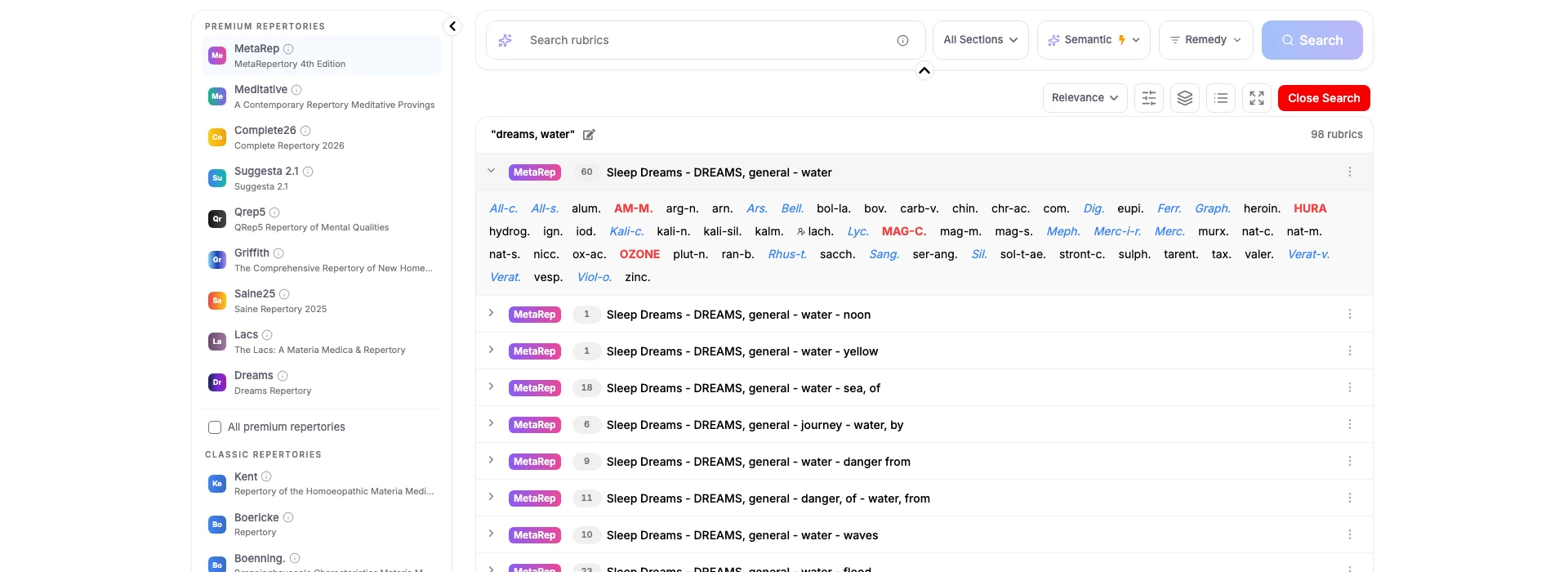
- Τα φάρμακά σας εμφανίζονται στη ρουμπρίκα μαζί με τα επίσημα, με ένδειξη ότι είναι δικά σας.
- Οι προσθήκες ενσωματώνονται στη ρεπερτοριοποίηση και την ανάλυση όπως οποιοδήποτε άλλο περιεχόμενο ρουμπρίκας.
- Μια περίπτωση διατηρεί την ακριβή αναθεώρηση μιας προσθήκης με την οποία αναλύθηκε, ώστε η ολοκληρωμένη εργασία να μην αλλάζει εκ των υστέρων.
- Απενεργοποιήστε τα εργαλεία όποτε θέλετε να επιστρέψετε στο καθαρό ρεπερτόριο — οι υπάρχουσες προσθήκες σας παραμένουν διαθέσιμες.
Ιδιωτικές, ή με αναφορά σε εσάς
Μία επιλογή καλύπτει κάθε ρεπερτόριο, και μπορείτε να την αλλάξετε όποτε θέλετε.
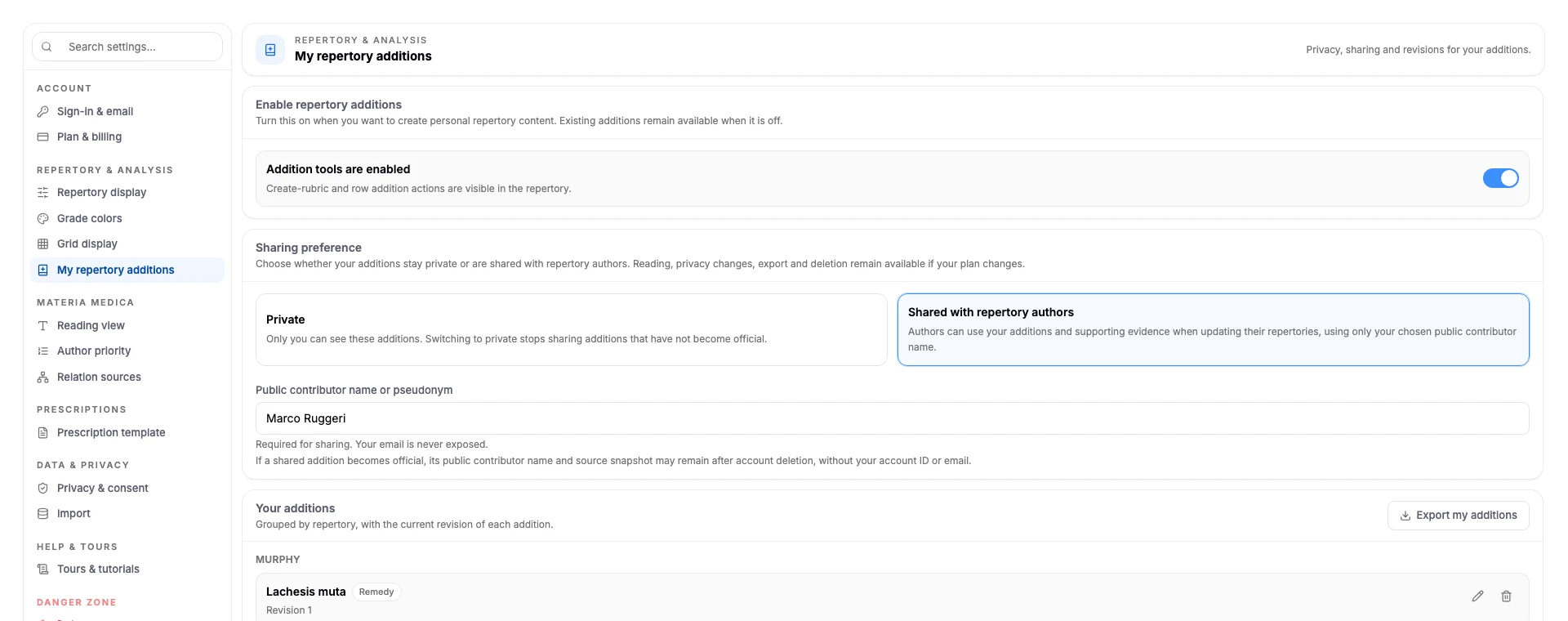
- Κρατήστε τις προσθήκες σας ιδιωτικές και θα παραμείνουν ορατές μόνο σε εσάς.
- Ή μοιραστείτε τις, ώστε οι συγγραφείς ρεπερτορίων να μπορούν να τις αξιοποιήσουν όταν ενημερώνουν τα ρεπερτόριά τους.
- Μια κοινόχρηστη προσθήκη φέρει μόνο το δημόσιο όνομα συνεισφέροντα ή το ψευδώνυμο που επιλέγετε — το email σας δεν εκτίθεται ποτέ.
- Εξαγάγετε όλα όσα έχετε γράψει, οποιαδήποτε στιγμή.
- Οι προσθήκες ρεπερτορίου είναι μέρος του Similia Pro. Ενεργοποιήστε τις από τις Ρυθμίσεις → Οι προσθήκες ρεπερτορίου μου.
Κάντε το ρεπερτόριο δικό σας
Οι προσθήκες στο ρεπερτόριο αποτελούν μέρος του Similia Pro.