

In short: Similia's Pro AI toolkit draws on one balance of AI credits, charged for the AI work each run does. An AI case analysis usually uses about 5 credits and a Similia AI answer about half a credit. Pro adds 100 credits a month, and most practitioners use far fewer. Unused credits roll over, and packs of 200, 500 or 1,000 credits top up the balance.
Similia's AI tools don't run on a fixed number of "analyses" or "questions" a month. They draw on one balance of AI credits, and each run is charged for the work it actually does: a short case costs less than a long one, and a two-minute recording less than an hour. This article explains what the credits pay for, what each tool typically uses, and how far the monthly allowance goes. The step-by-step version, with where to find the balance and the usage history in the app, is the guide Understand AI Credits and What Each AI Tool Costs.
What AI credits pay for
Credits pay for the Pro AI toolkit: AI case analysis, the Similia AI assistant, Notes to Rubrics, photo analysis, transcription of uploaded recordings and dictation, Live Audio during a consultation, AI updates to the case timeline, and AI transcription in provings.
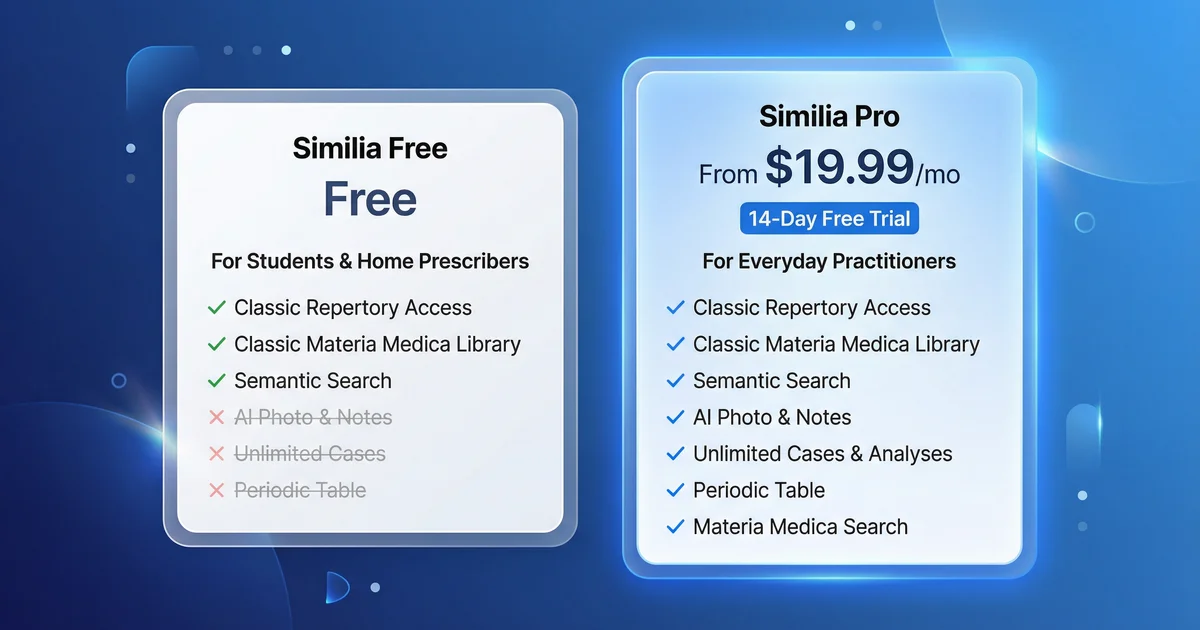
Everything else uses no credits: keyword and semantic repertory search, materia medica search and reading, repertorization, and case management. Pro removes the Free monthly cap on new cases and repertory analyses, while AI toolkit operations use the included AI credit allowance, so unlimited cases and repertory analyses do not mean unlimited AI processing. The Free vs Pro comparison sets the plans side by side.
What each AI tool typically costs
These are rounded figures in credits, from real use in October 2026 and test runs in November 2026. Each tool also shows its own estimate before a run.
| AI tool | Charged per | Typical credits |
|---|---|---|
| AI case analysis | Analysis | 4 to 7, about 5 on average |
| Similia AI assistant | Answer | About 0.5, up to about 1.5 |
| Notes to Rubrics, Standard mode | Run | 1 to 3 |
| Notes to Rubrics, Advanced mode | Run | 3 to 12 |
| Photo analysis | Photo | Under 0.1, plus a Notes to Rubrics run |
| Recording upload or dictation | Hour of audio | About 4.6, or 5.0 when extracting only the patient's words |
| Live Audio, transcription only | Hour | About 4.6 |
| Live Audio with AI analysis | Hour | 9 to 12 |
| Timeline update with AI | Consultation | About 0.3, a few credits for a very long one |
Two things drive the cost: how much material a tool reads, so longer notes and bigger cases cost more, and how much reasoning the task takes. That is why an AI case analysis, which looks up rubrics and reads materia medica passages for several candidate remedies, costs more than a quick question to the assistant.
What the monthly allowance covers
A Pro subscription adds 100 credits a month. On its own, that pays for about 20 AI case analyses, about 180 assistant answers, or about 9 hours of Live Audio with AI analysis (over 20 hours of transcription only).
Real months mix tools. A busy month with 8 AI case analyses (about 40 credits), 2 hours of Live Audio with AI analysis (about 21), 30 assistant answers (about 15) and Notes to Rubrics on 10 cases (about 20) uses about 96 credits.
Most practitioners use much less. In October 2026, half of the practitioners who used an AI tool spent 11 credits or fewer in the month, three in four spent 31 or fewer, and nine in ten spent 70 or fewer.
How the balance renews
There is one balance, and every renewal adds to it, so unused credits carry over from month to month.
- Monthly Pro: 100 credits with each monthly payment. A free trial starts with 100 credits, which count as the first month's allowance, so the next 100 arrive with the second payment.
- Annual and 3-year Pro: 1,200 or 3,600 credits with each payment, the same 100 a month delivered at once.
- Lifetime Pro and student plans: 1,000 credits once, with no monthly allowance.
When to buy a credit pack
Heavy users, and Lifetime Pro holders who have used their 1,000 credits, can top up with a pack of 200, 500 or 1,000 credits from the AI credits section of the Shop, or from Buy more in the account menu. Packs add to the same balance and never expire.
A run that has already started always finishes, even if it takes the balance below zero; the next renewal or pack is added to what is left. With a balance of zero or less, the AI tools ask for more credits before they start.
Where to see what was used
The account menu shows the balance, and its usage history lists every charge with its date, the tool and the credits it used. The guide Understand AI Credits and What Each AI Tool Costs walks through both, and through the estimate each tool shows before a run.